

















See who’s doing what, where and when.
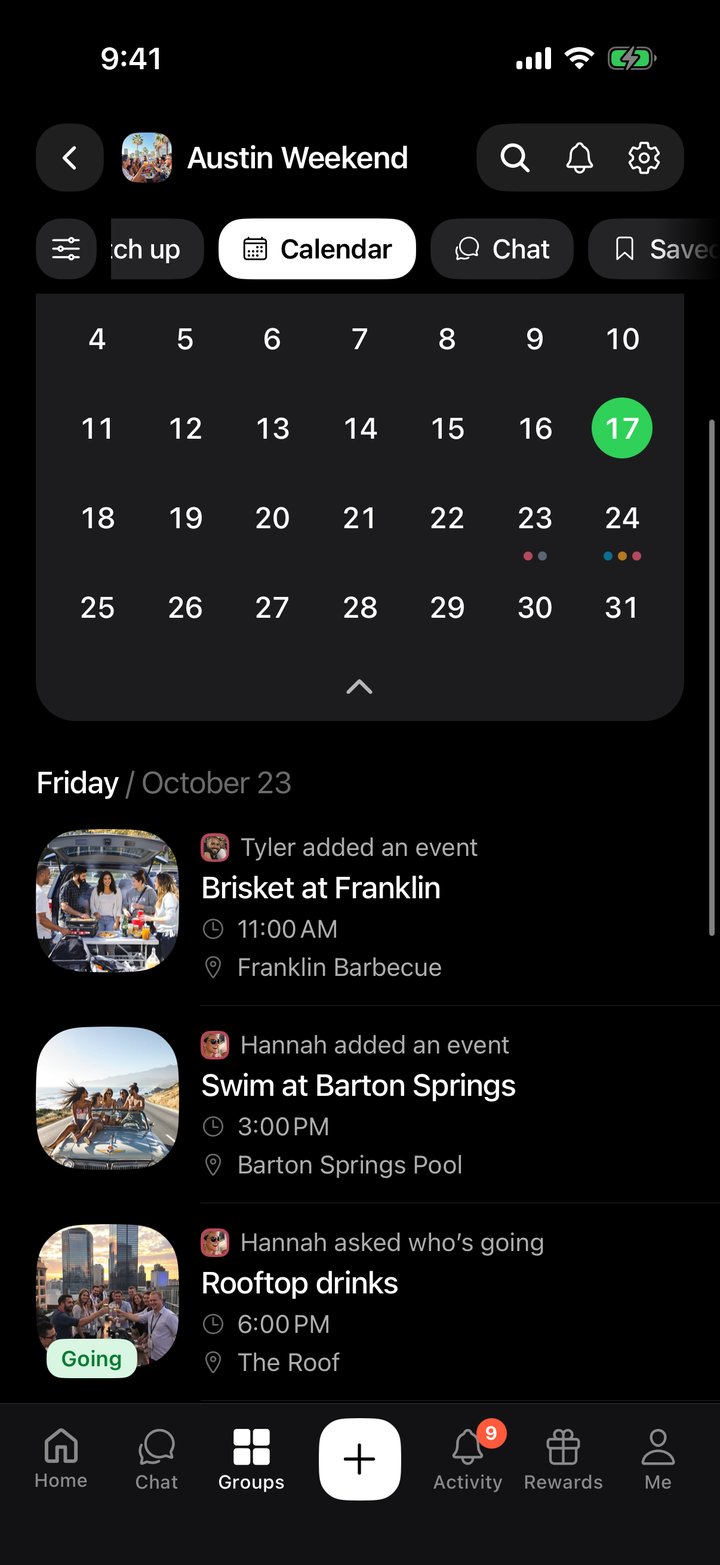
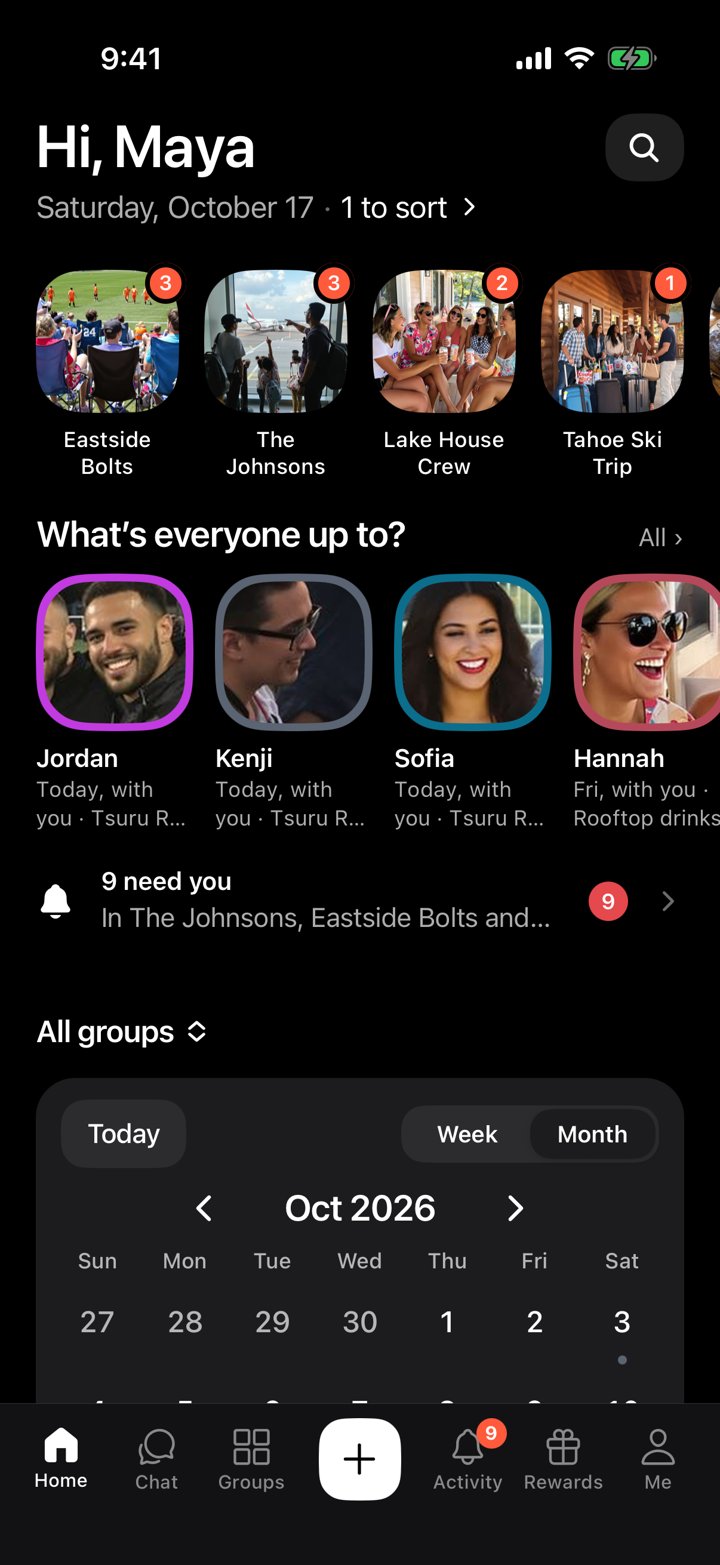
Every group gets a shared calendar. Each event carries the color of the person who added it, and Home lays all your groups together, so your whole month is in one place.
- Everyone has one color, the same in every group
- Month, week or a list by date: pick how you look at it
- Home shows every group at once, or just what you share with one person
- Events can repeat every day, week, month or year
- A count on each tab shows what changed since you last looked
Make it yours.
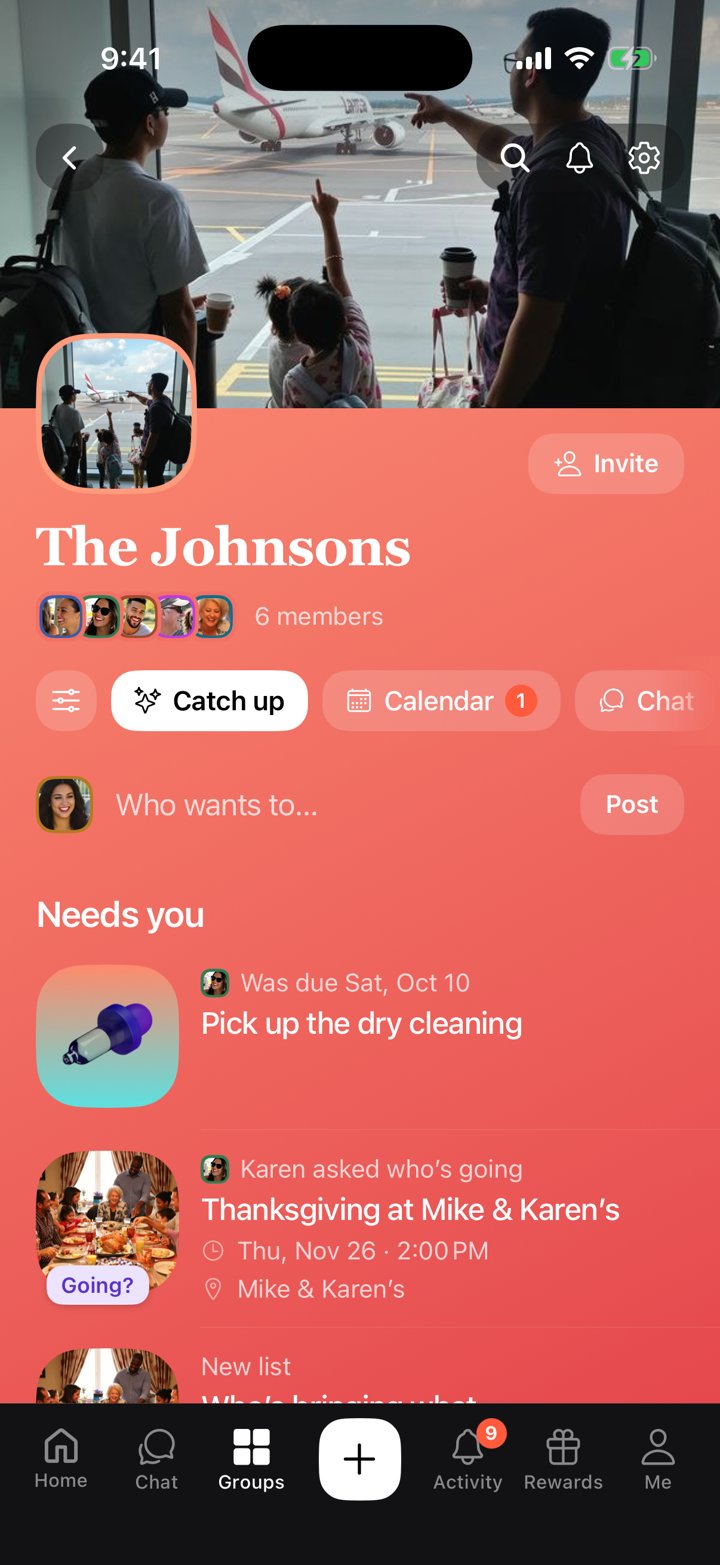
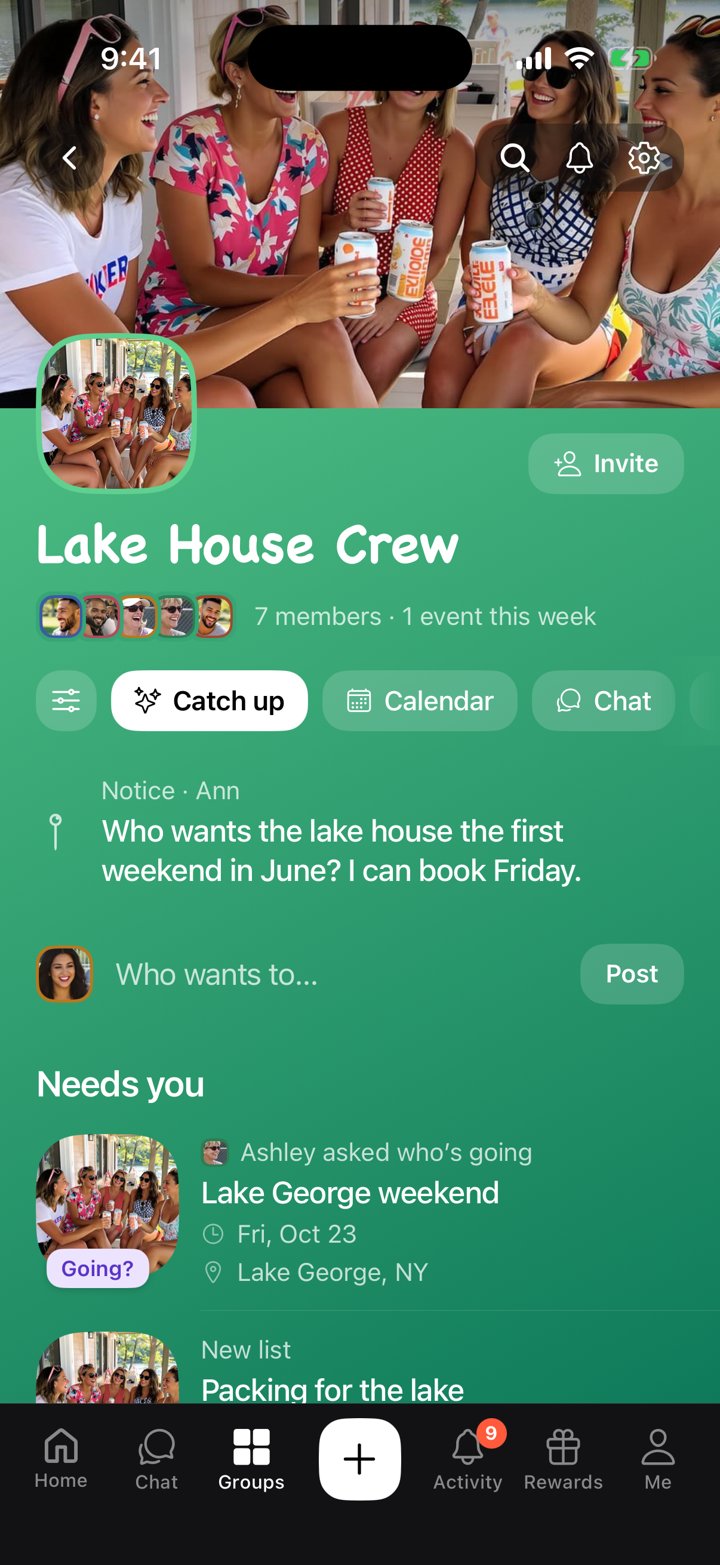
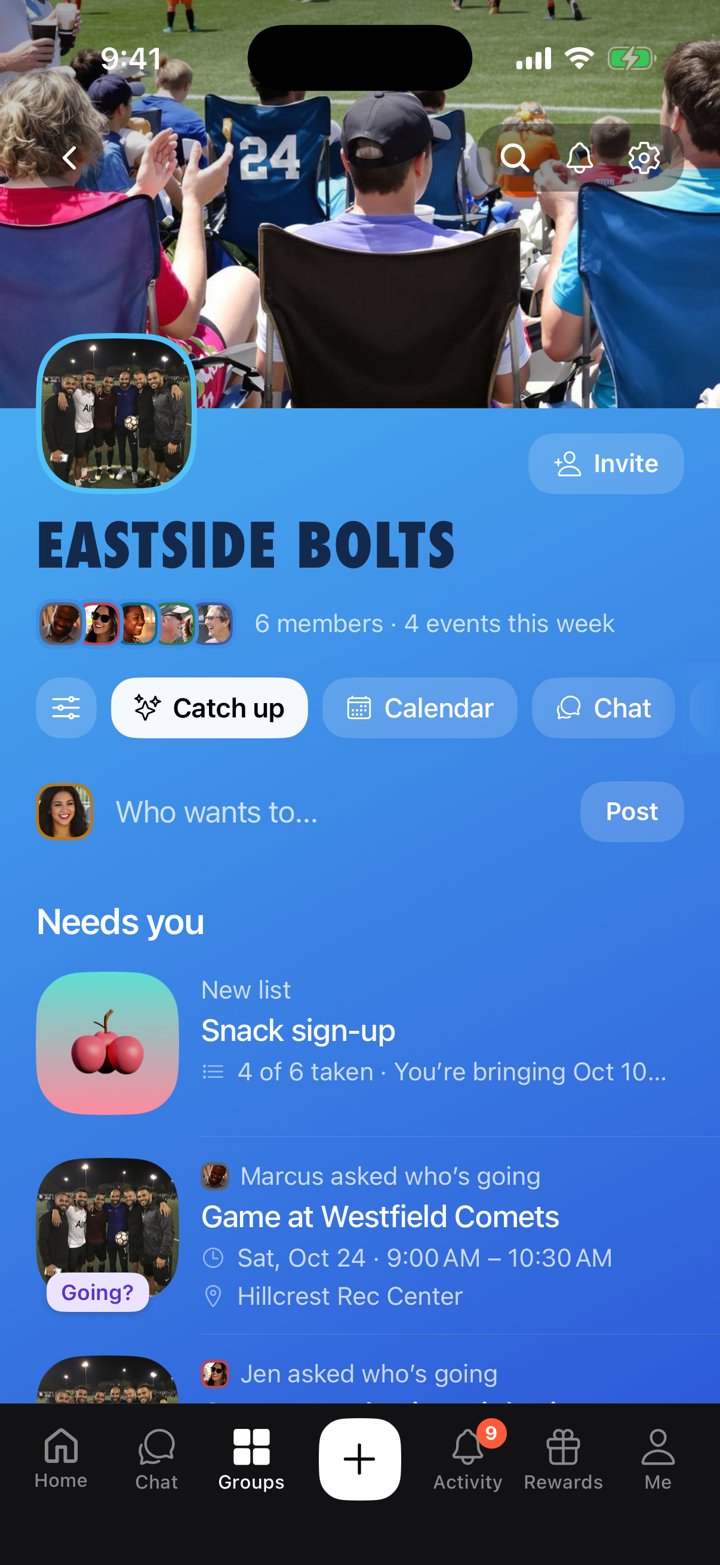
Every group gets its own look. Your book club shouldn’t look like your soccer team.
- A banner and colors for each group
- Its own theme for the page, the calendar and the chat
- The group’s own emoji and sticker packs
- A frame for your photo, from the Shop
You save it. Then you scroll past it.
The restaurant, the hike, the show your friend tagged you in. It sits in your saves while the feed keeps going.
Camp is where it turns into a Saturday.
From “we should go” to “we’re going.”
Camp turns what you find online into plans with your people.
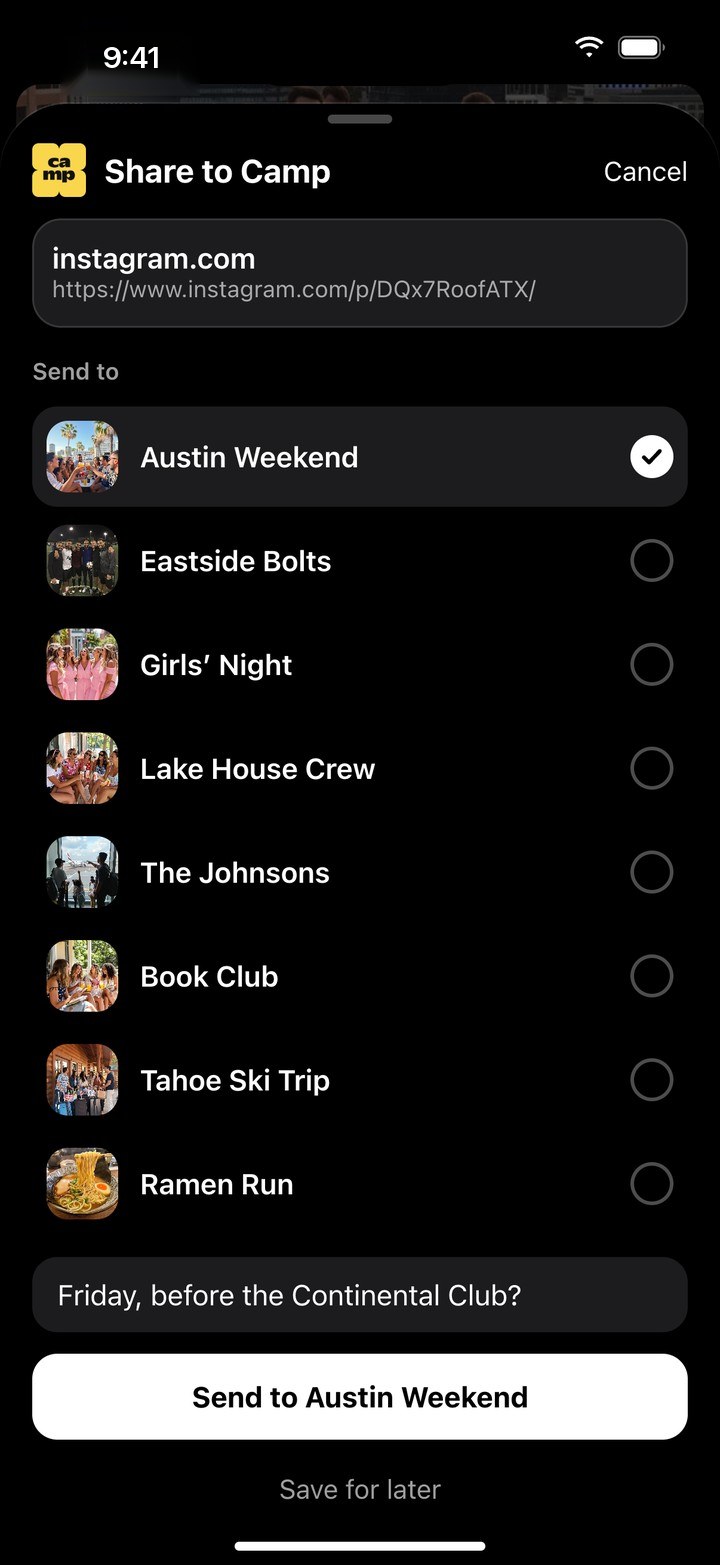
- Add it to CampShare a post, link, pin or screenshot from Instagram, TikTok, Maps or Safari, or long-press anything in the chat. The photo and details come with it.
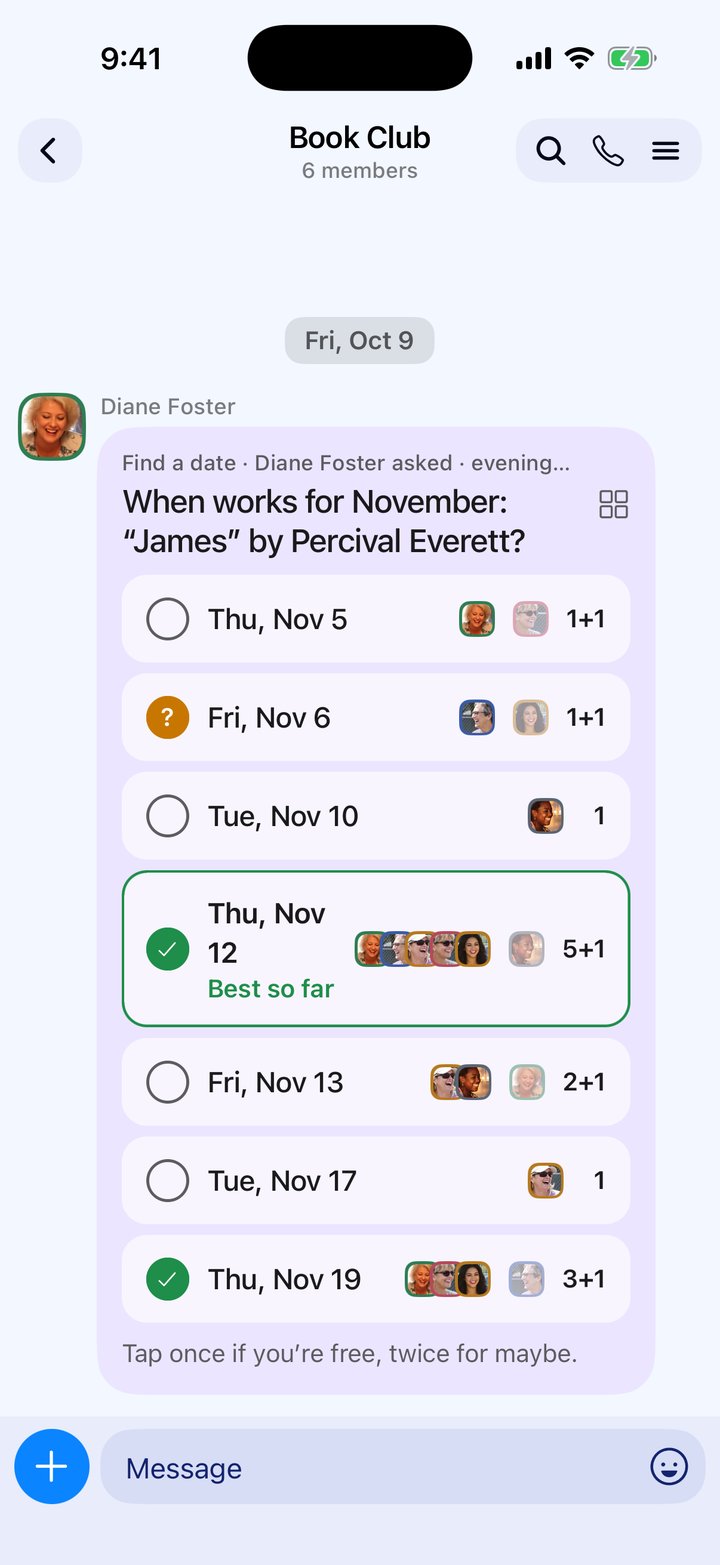
- Find a date in secondsEveryone taps the days they’re free, and the day that works for most people shows up.
- Set remindersPick when you want a heads-up, and Camp reminds you before it starts.
- Everyone checks in on the dayShare where you are and see who’s on the way and who’s already there.
- Split the billAdd what you paid, and Camp works out who owes who. Settle up in one go.
- Share the photos and catch the gossEveryone’s photos land in one album, and the talk stays with the plan.
What’s everyone up to?
Camp opens on your groups and your people, not a feed. Who’s free tonight, who’s going Saturday, whose birthday is Sunday. Tap a face to message them. Your calendar is right underneath.
Join the waitlistBuilt to be put down.
Camp is for the plan, then your phone goes back in your pocket.
- No public feedEverything lives in a private group. Only its members see it.
- No followers, no follower countsJust the people you actually see.
- No algorithm choosing what you seeYour groups, your plans, in order.
Find a date everyone can make.
Pick a few days and everyone taps the ones they’re free. Faces show who can make each one, and the best day so far stands out.
- Tap once if you’re free, twice for maybe
- Ask about mornings, afternoons, evenings or the whole day
- People who share their busy times show as busy, never with what they’re doing
- Pick the winner and it becomes the plan
Chat about the plan, not around it.
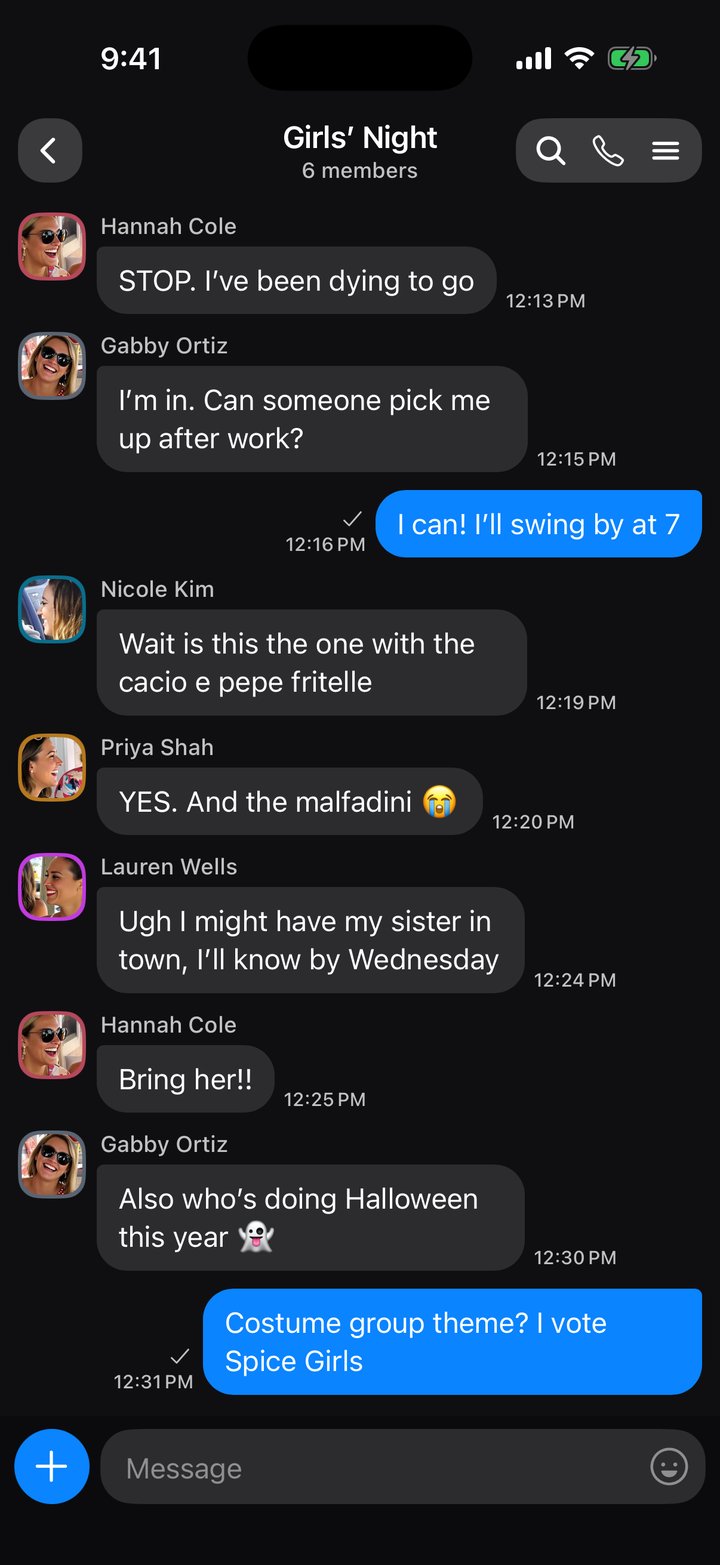
A group chat like the one you already use — photos, links, files, stickers — and anything in it can go on the calendar with a long-press. Talk about one plan stays on the plan, so nothing gets buried.
- Long-press any message to add it to the calendar or Posts
- A list of your groups’ chats, with unread counts, like your messaging app
- Notifications when someone adds, ticks, hands you something or replies
- See who’s typing, and ticks for who’s read your message
- Search finds any plan, list or message across all your groups
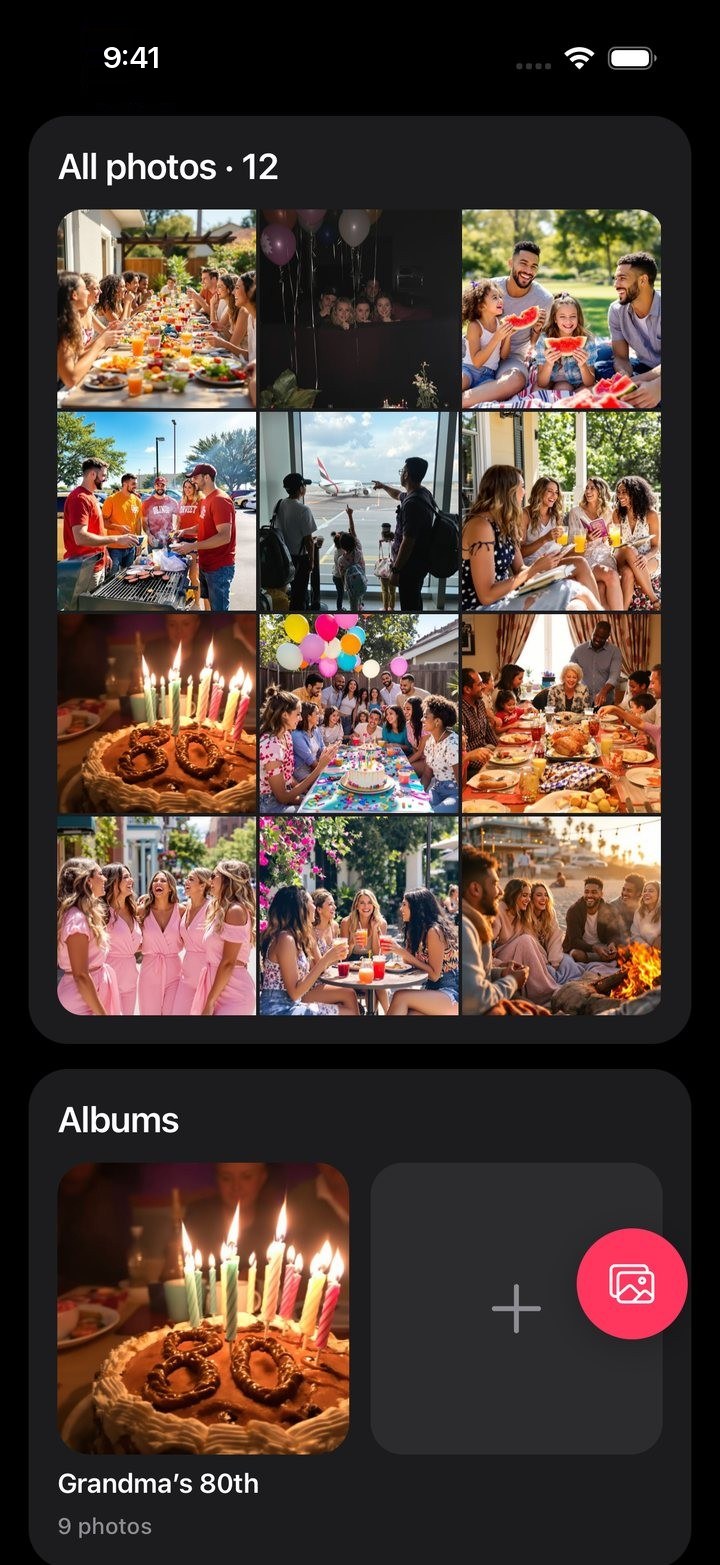
Every photo from every plan, in one place.
Photos shared in the chat and added to a plan collect in the group’s albums, so everything from Grandma’s 80th stays together.
- All photos, newest first
- An album for each plan, with everyone’s photos from that day
- Add up to 30 photos at once
And the small things that make plans happen.
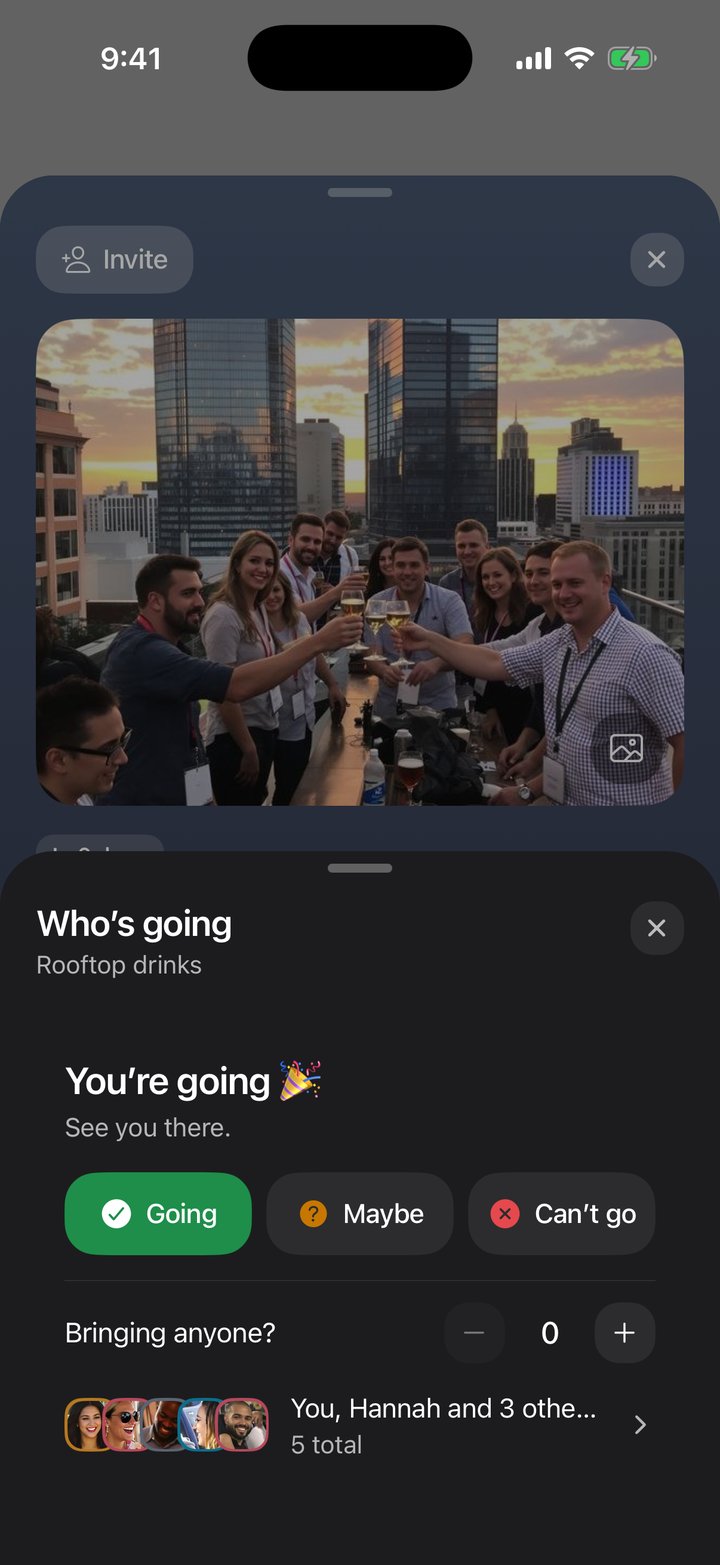
Who’s going
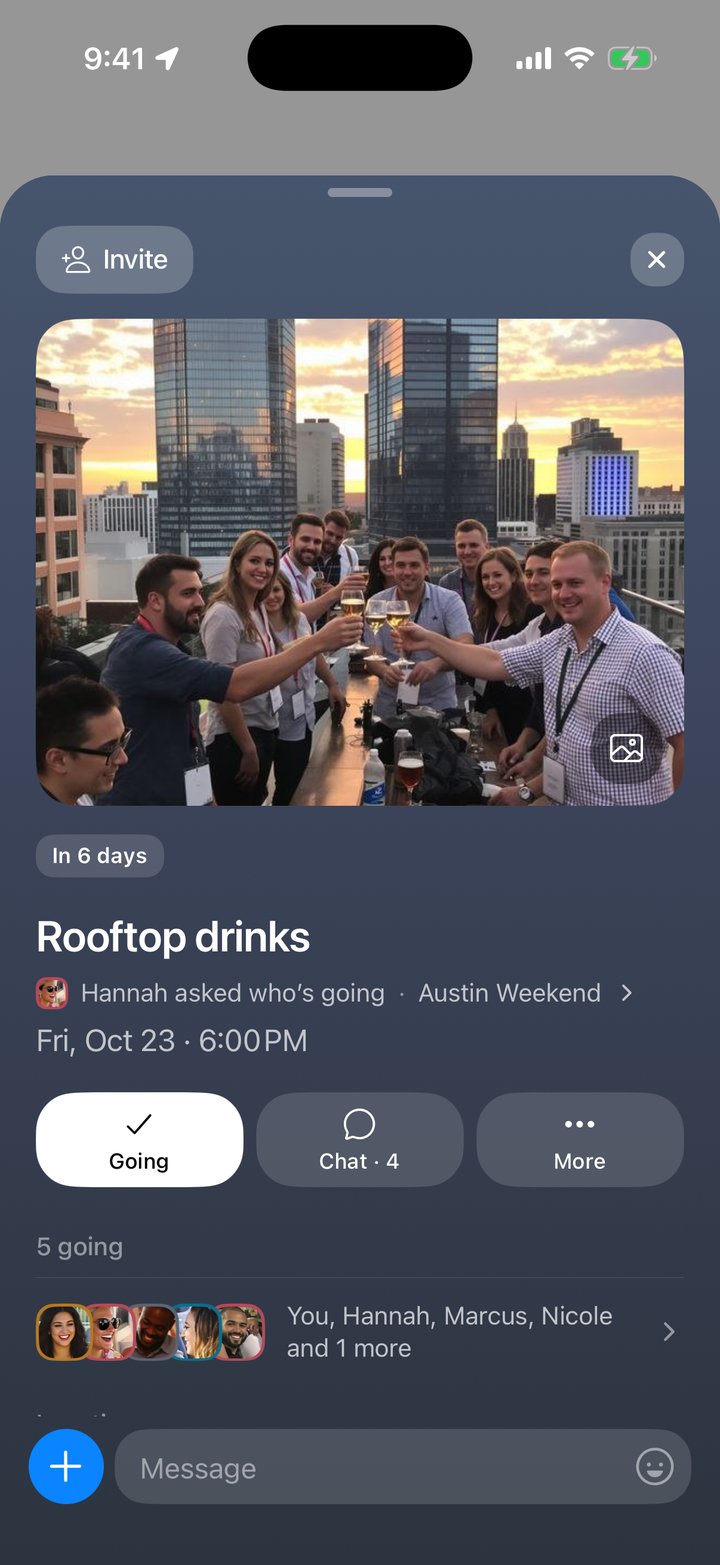
Going, Maybe or Can’t go, with everyone’s faces. Bring guests, set a number of spots, and later answers wait in line.
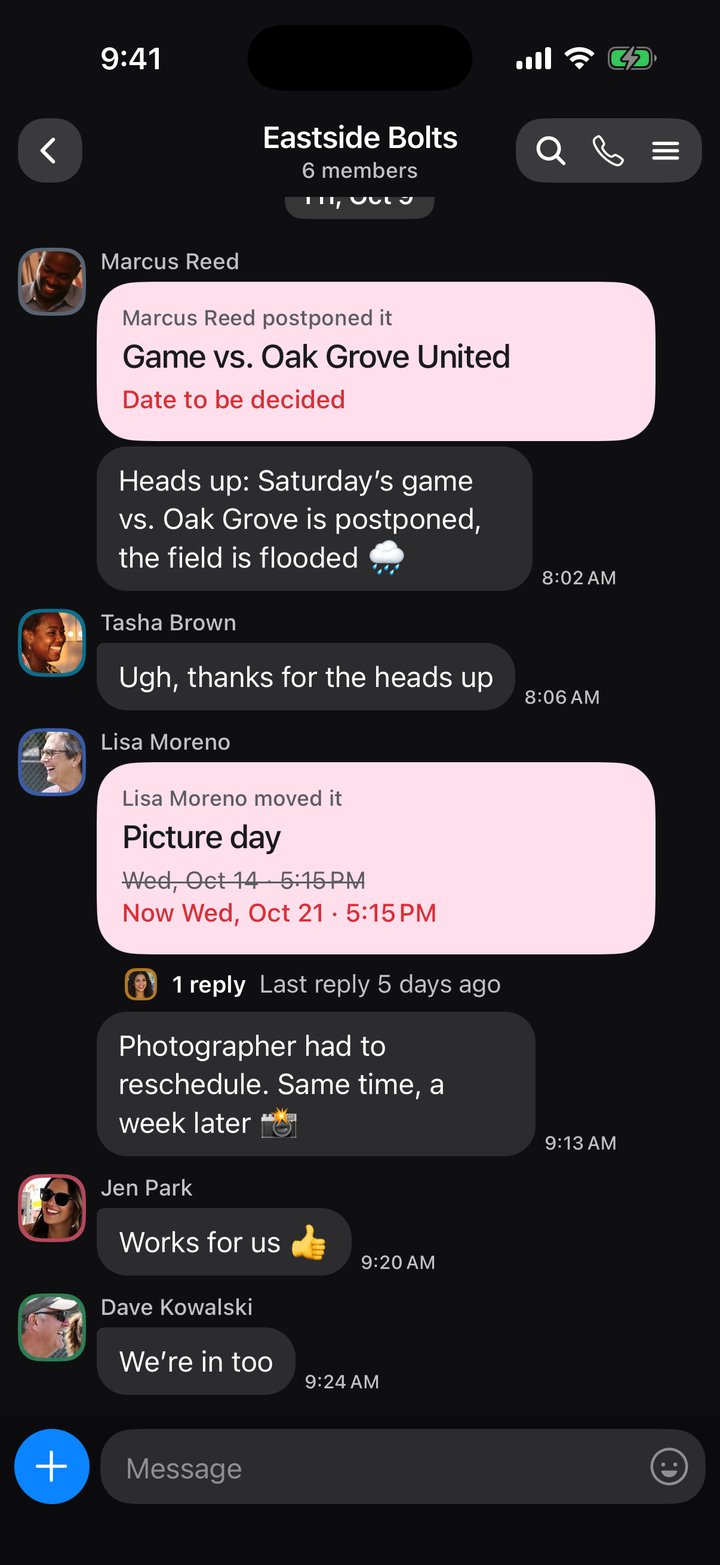
Last-minute changes
Move or postpone a plan and the chat says so, old date and new, and everyone answers Still in or Can’t make it.
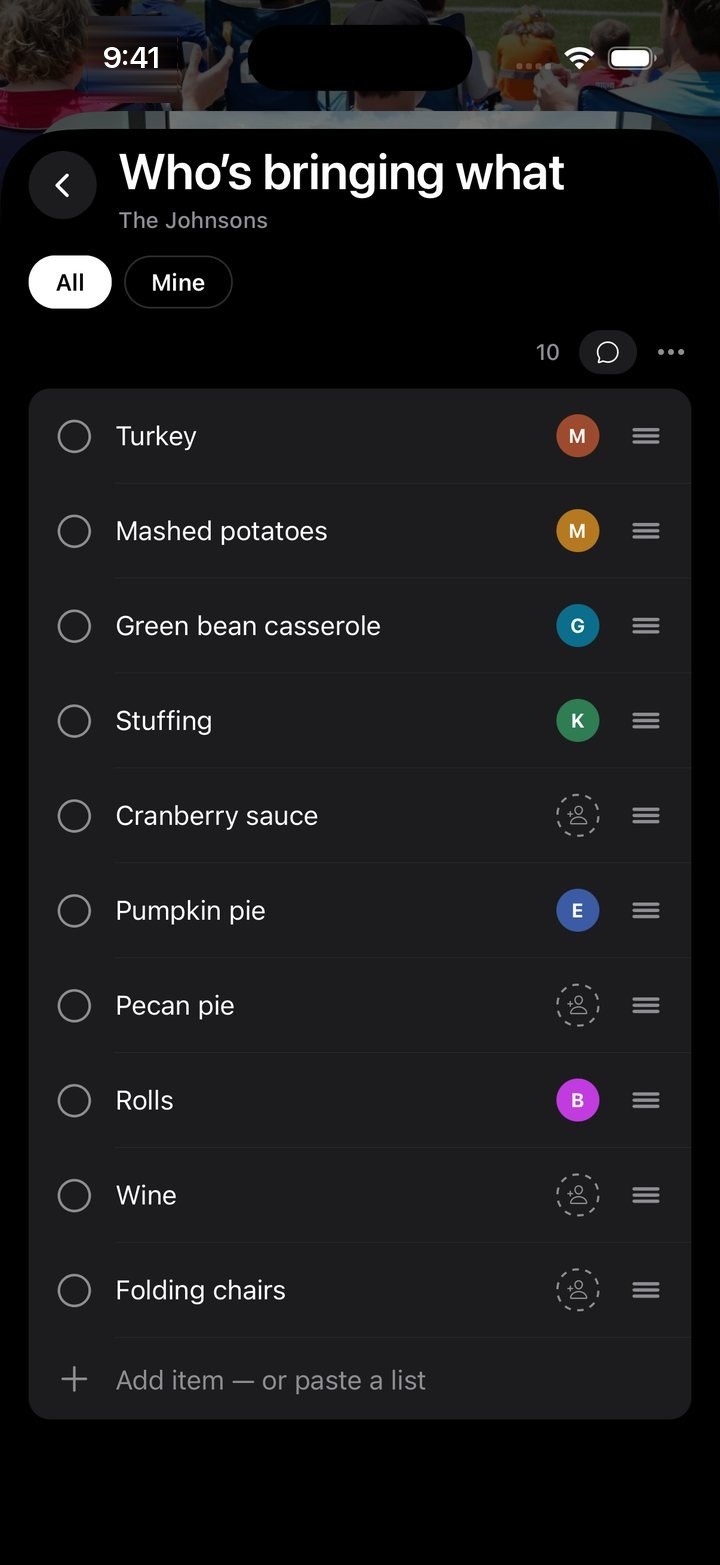
Sign-up sheets
Who’s bringing what: everyone takes an item with one tap, so nothing turns up twice.
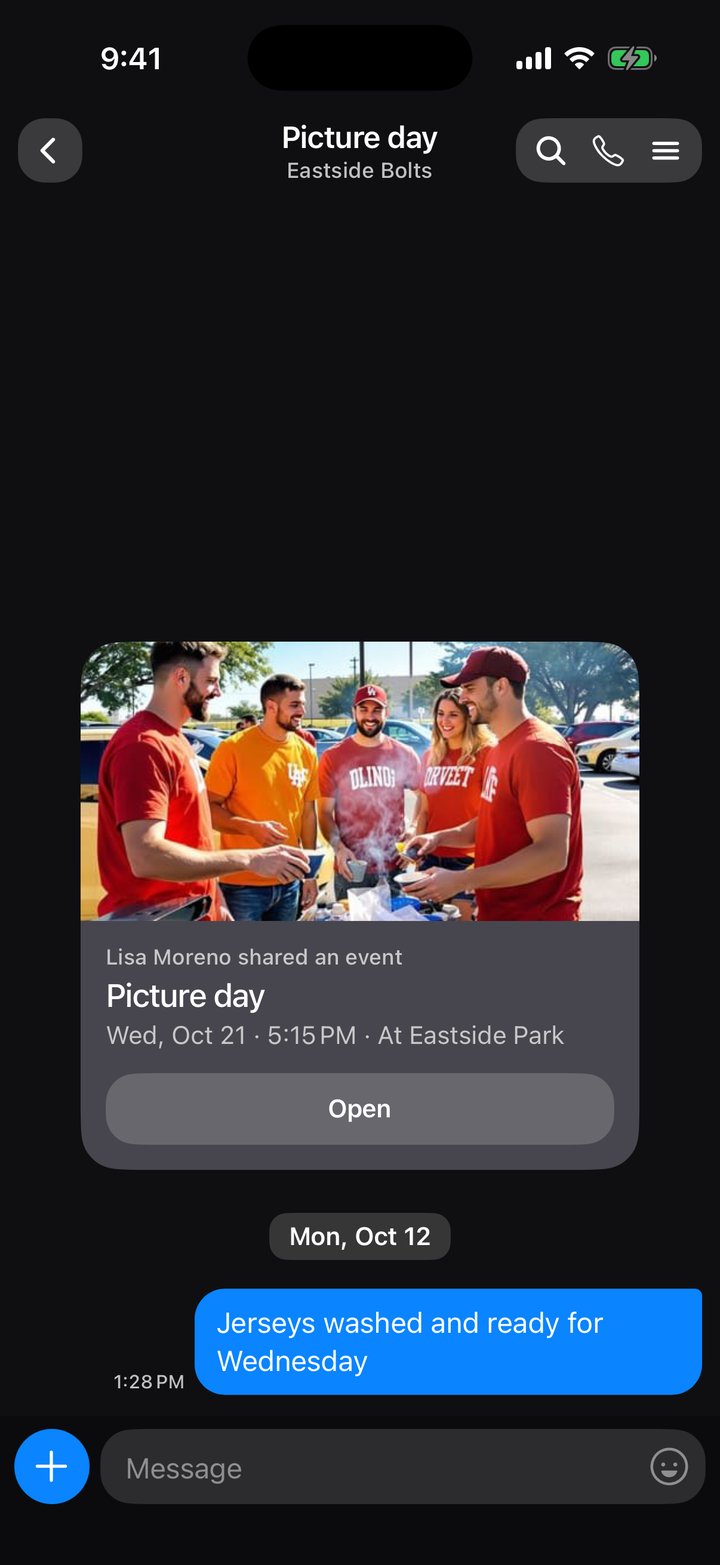
A chat for each plan
Every plan has its own chat, so talk about Friday’s dinner stays with Friday’s dinner.
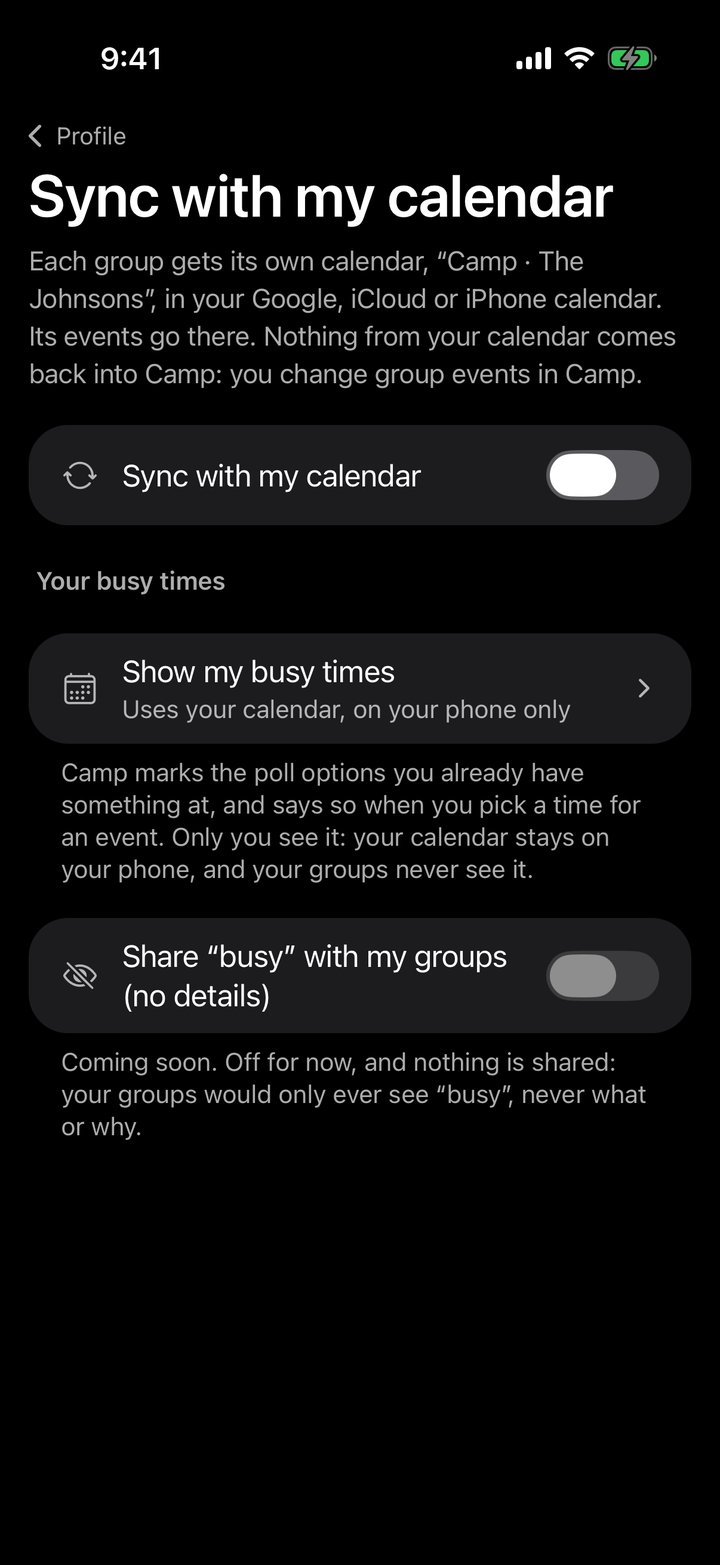
In your own calendar too
Each group gets its own calendar in Google, iCloud or on your iPhone, kept up to date as plans change in Camp.
One group, one set of plans.
No more scrolling back through a group chat to find the date, the address or who said they’d bring what.
-
Start a group
Name it after the people in it — the family, the roommates, the Japan trip. It gets its own calendar, lists and chat.
-
Invite them with a link
Text it, or send it over WhatsApp. They get Camp, tap the link and they’re in.
-
Plan it together
Dates go on the calendar, everything else on lists. Anyone can add, tick things off and talk about them.
Trying to scroll less?
Start smaller than “go for a walk.” Twenty easy swaps you can do from your bed, the couch or the dinner table.
Read: things to do instead of scrollingQuestions.
Is Camp free?
Yes. Camp is free on iPhone, with ads. Camp Plus removes them. Extras like sticker packs and themes use coins you earn in the app.
Do people need the app to join?
Yes, Camp is an iPhone app. An invite link shows who invited you and the group, and opens it in Camp.
Who can see my calendar?
Nobody, unless you say so. Syncing puts each group’s plans in a calendar of its own on your phone, and your own events stay yours. If you turn on “Let my groups see when I’m busy”, they see only the times, never what, and holidays and birthdays are left out.
Can I be in more than one group?
As many as you like. Home shows them all together, and each one keeps its own calendar, chat, lists and photos.
Can I share things in from other apps?
Yes. Tap Share in Instagram, TikTok, Safari, Maps or any app with a Share button, then Camp. The photo, title and caption come with it.
Who is Camp for?
Adults, 18 and over. Parents use it to run their kids’ teams and classes; the kids don’t need accounts.