







Camp

Where IRL happens

Stop scrolling. Start going.

All those posts you've saved of other people's trips, dinners and nights out? Camp turns them into your own, with your friends. It's almost here: join the waitlist and we'll email you the day it's on the App Store.

  • Private groups for the people you actually see
  • Find a date, plan it, split it, share the photos
  • Free on iPhone

Getting your link…

You're on the list

#

on the Camp waitlist

Every friend who joins from your link moves you up 100 places.

Bring your people

    From “we should go” to “we’re going.”

    Camp turns what you find online into plans with your people.

    1. Add it to CampShare a post, link, pin or screenshot from Instagram, TikTok, Maps or Safari, or long-press anything in the chat. The photo and details come with it.
    2. Find a date in secondsEveryone taps the days they’re free, and the day that works for most people shows up.
    3. Set remindersPick when you want a heads-up, and Camp reminds you before it starts.
    4. Everyone checks in on the dayShare where you are and see who’s on the way and who’s already there.
    5. Split the billAdd what you paid, and Camp works out who owes who. Settle up in one go.
    6. Share the photos and catch the gossEveryone’s photos land in one album, and the talk stays with the plan.
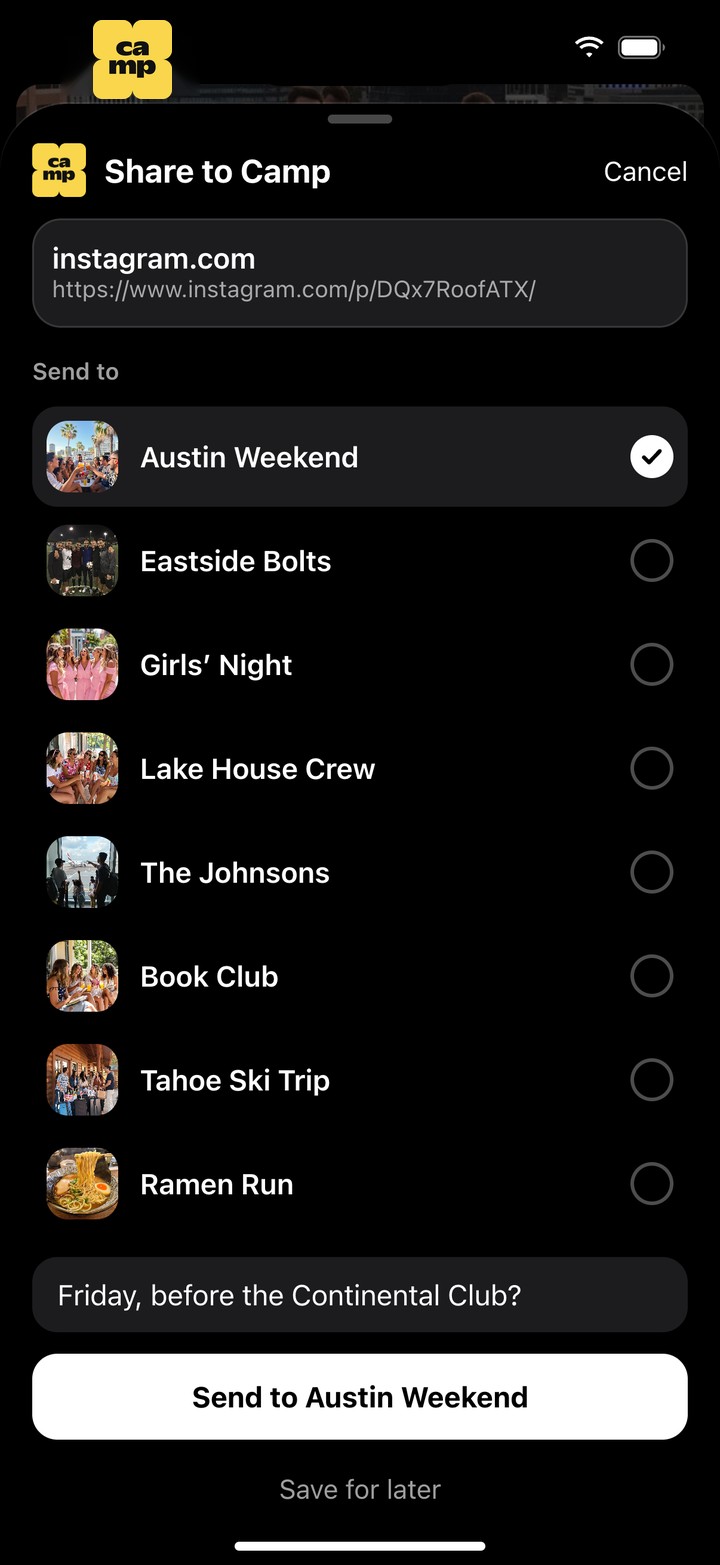
    Camp’s share sheet over an Instagram post: Share to Camp, the link, Austin Weekend picked from your groups, and Send to Austin Weekend
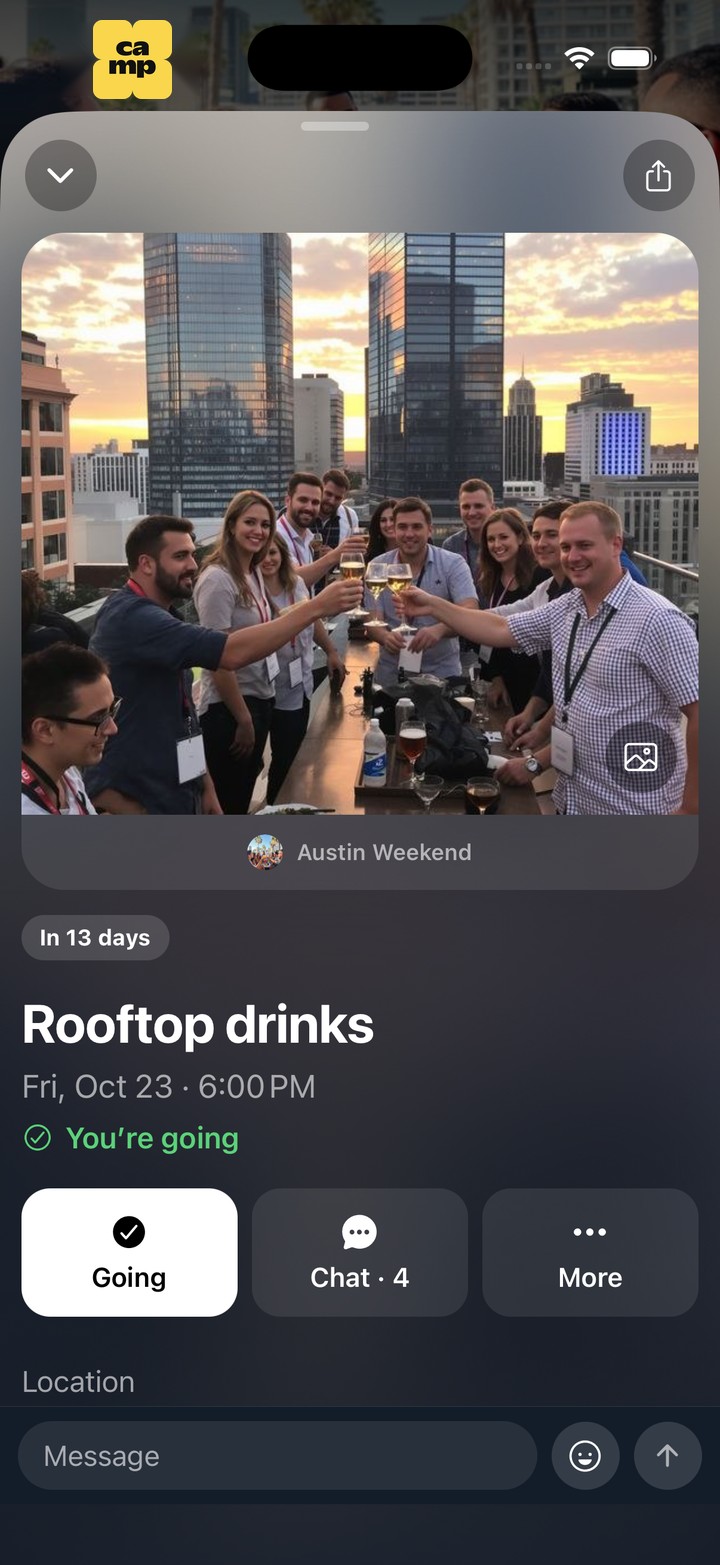
    The plan it became in Austin Weekend: Rooftop drinks, Friday, Oct 23 at 6:00pm, with the post’s photo, You’re going, and its chat
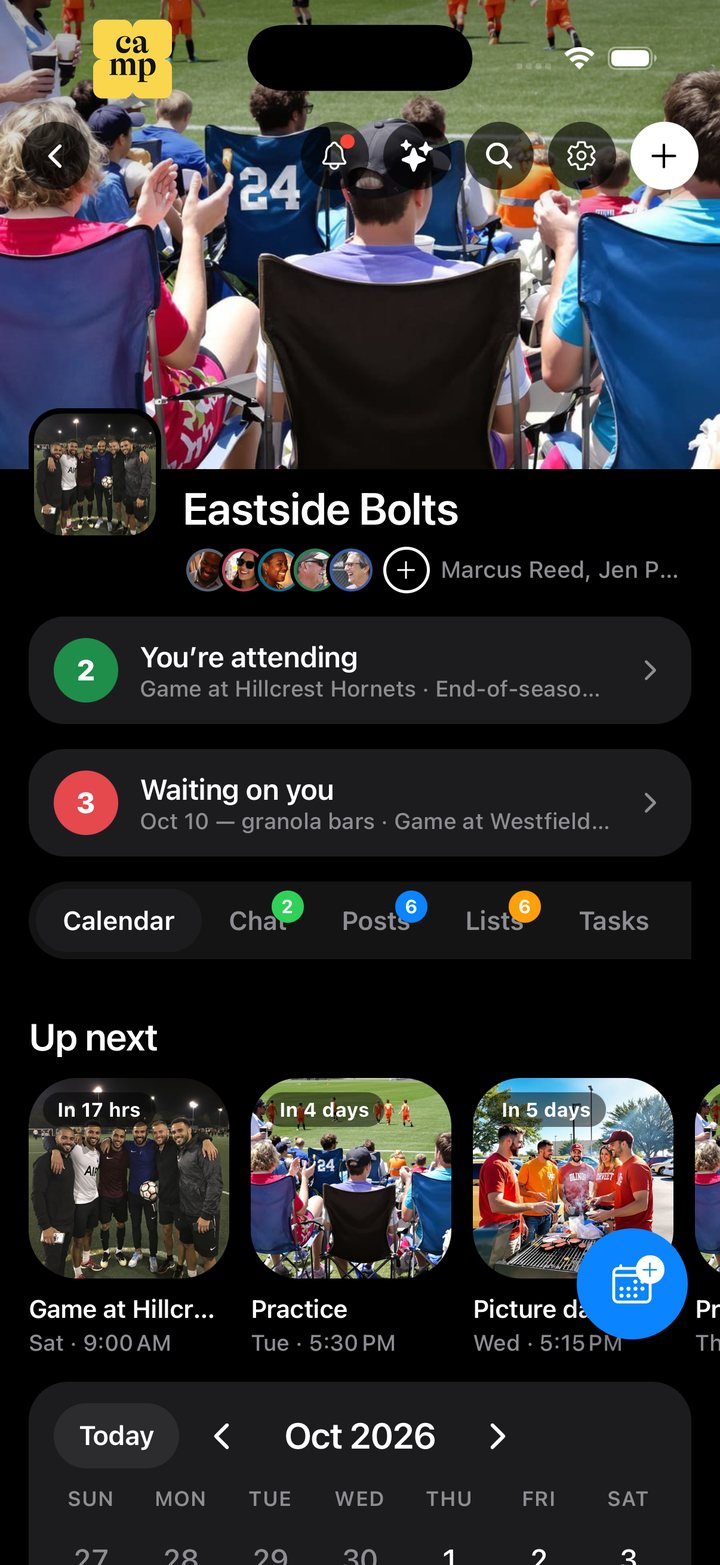
    Eastside Bolts in Camp: the team’s banner, its parents, what you’re going to and what’s waiting on you
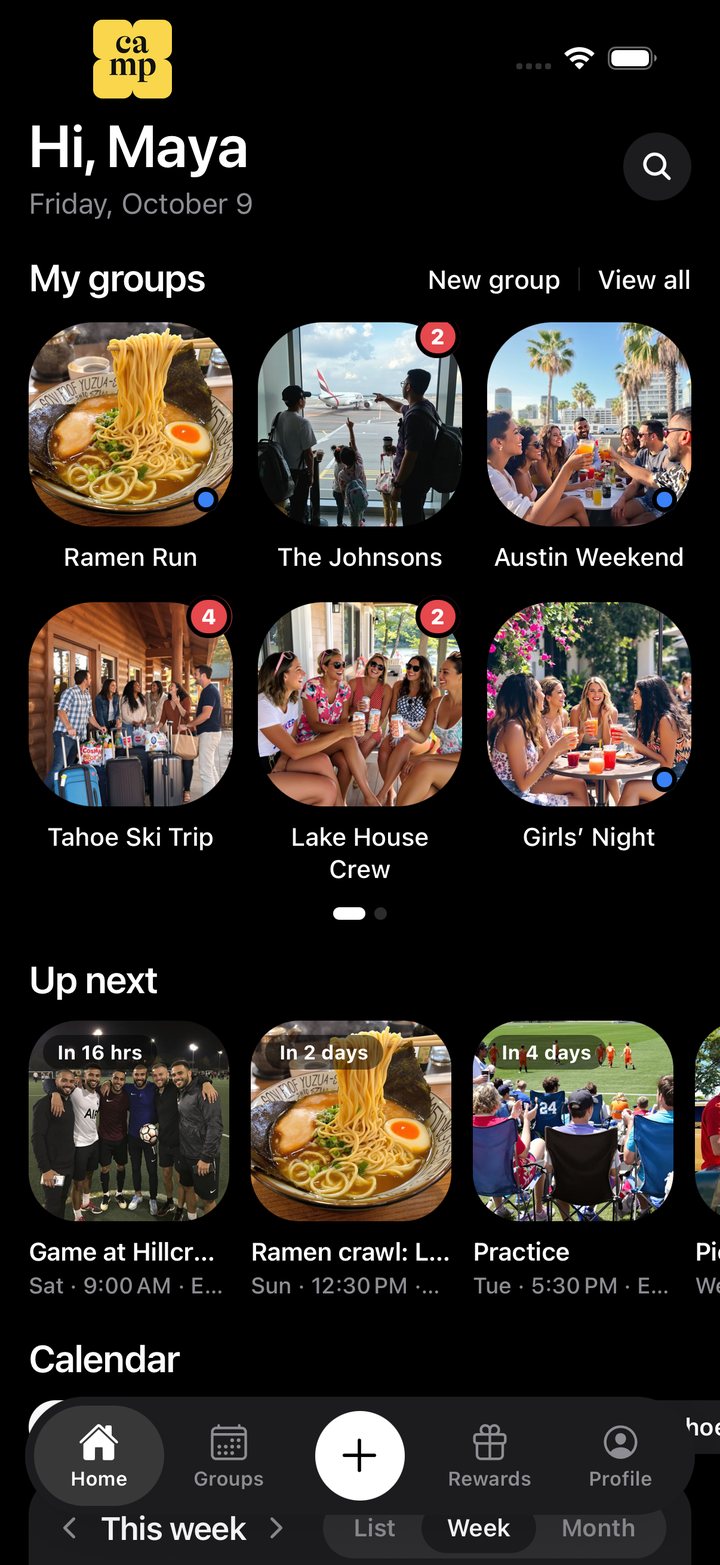
    Camp’s Home screen: My groups as photo tiles, then Up next

    Every group you’re in, on one home screen.

    Your groups up top, what’s next underneath, and every calendar together. Tap a group and you’re in its own place: its people, its plans, its chat.

    Join the waitlist

    See who’s doing what, where and when.

    Every group gets a shared calendar. Each plan carries the color of the person who added it, and Home lays all your groups together, so your whole month is in one place.

    • Everyone has one color, the same in every group
    • Month grid, rows, shelves or big cards: pick how you look at it
    • Home shows every group at once, or just what you share with one person
    • Plans can repeat every day, week, month or year
    • A count on each tab shows what changed since you last looked
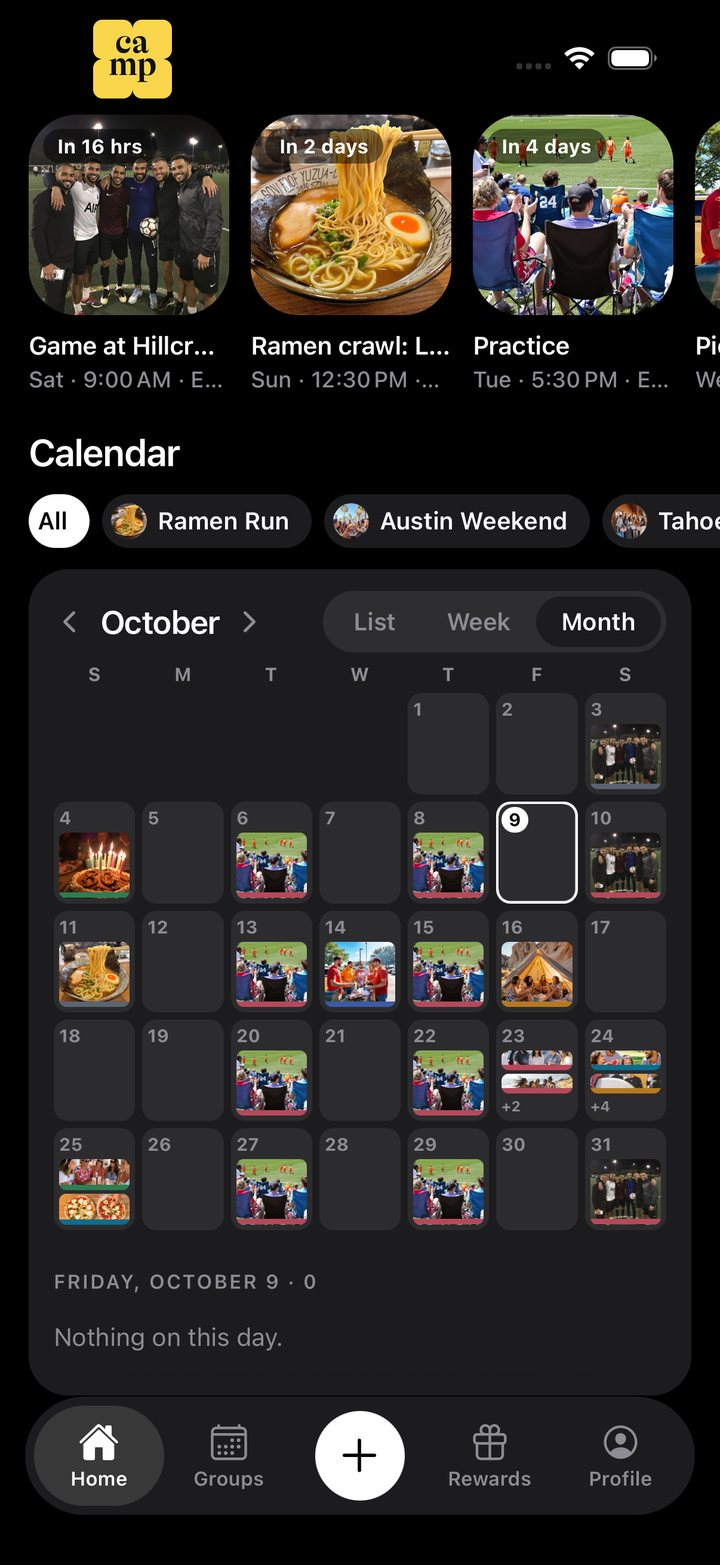
    Camp’s Home calendar for October: every group’s plans on one month grid, each day showing its photo

    Find a date everyone can make.

    Pick a few days and everyone taps the ones they’re free. Faces show who can make each one, and the best day so far stands out.

    • Tap once if you’re free, twice for maybe
    • Ask about mornings, afternoons, evenings or the whole day
    • People who share their busy times show as busy, never with what they’re doing
    • Pick the winner and it becomes the plan
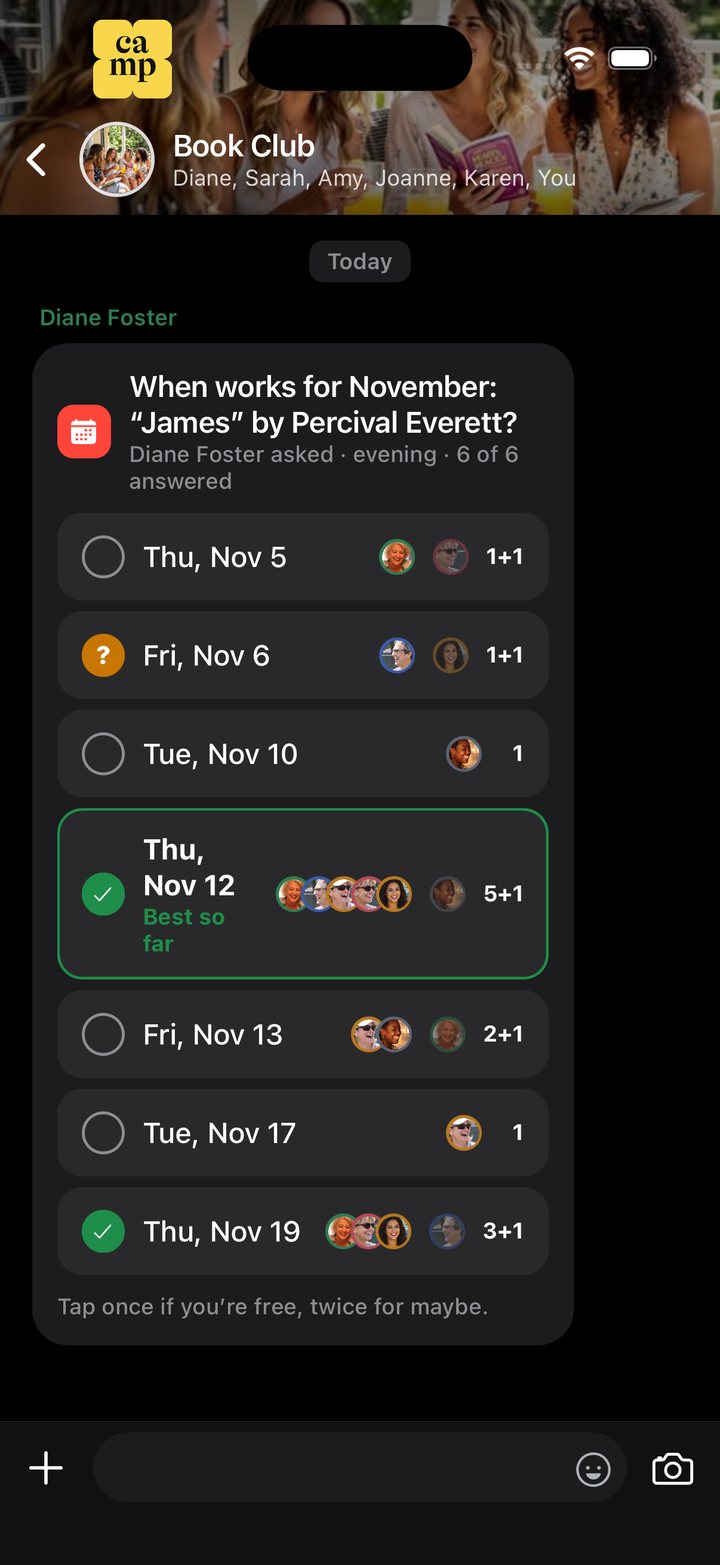
    Book Club in Camp finding a date for November: seven evenings, each with the faces of who’s free, Thursday the 12th best so far

    Chat about the plan, not around it.

    A group chat like the one you already use — photos, links, files, stickers — and anything in it can go on the calendar with a long-press. Talk about one plan stays on the plan, so nothing gets buried.

    • Long-press any message to add it to the calendar or Posts
    • A list of your groups’ chats, with unread counts, like your messaging app
    • Notifications when someone adds, ticks, hands you something or replies
    • See who’s typing, and ticks for who’s read your message
    • Search finds any plan, list or message across all your groups
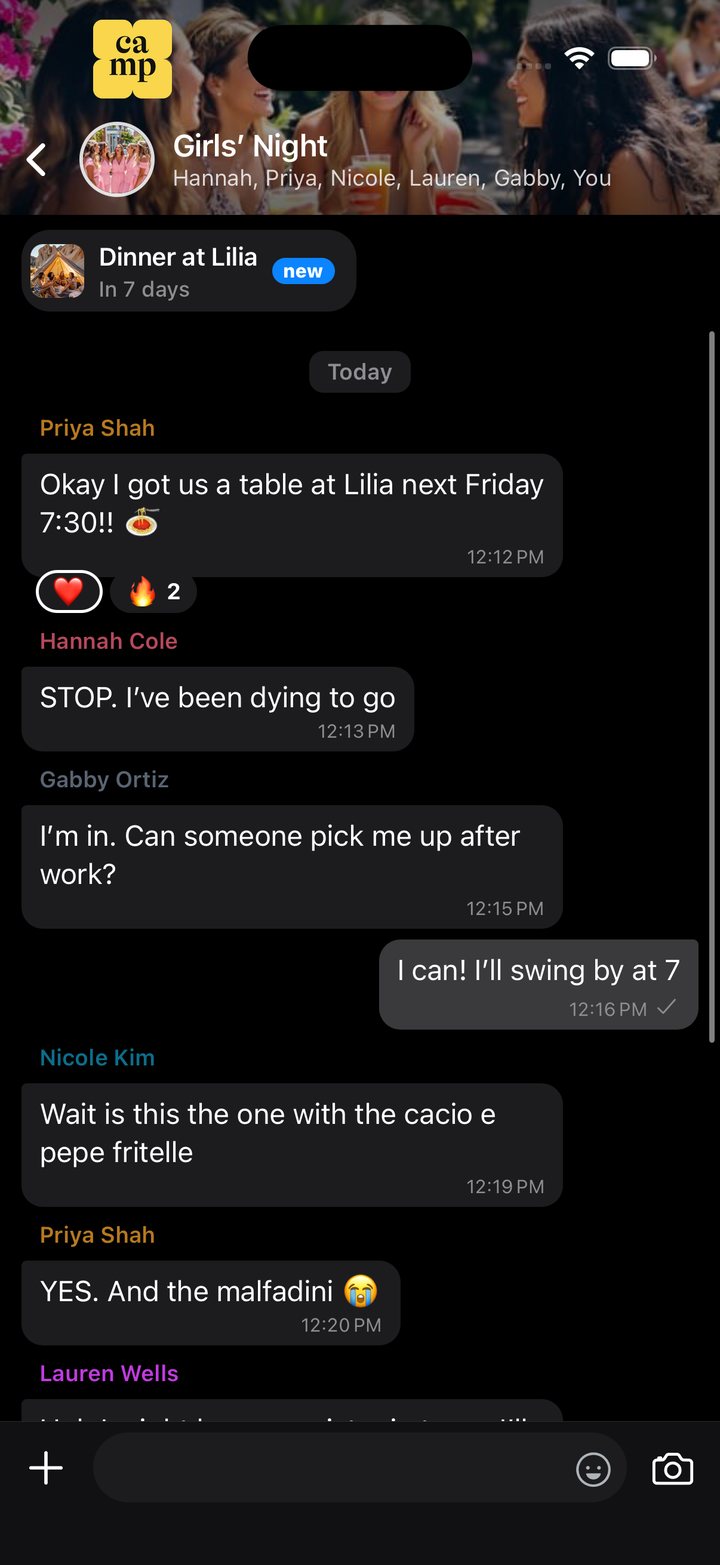
    Girls’ Night’s group chat in Camp, planning dinner at Lilia, with the plan pinned at the top

    Lists that know who’s on it.

    Packing, the groceries, the movies to watch. Take something with one tap, paste a whole list at once, and see who checked off what.

    • Take an item with one tap, or hand it to someone else
    • See who checked off what, and when
    • Paste a whole list from a message and every line becomes an item
    • Quantities, notes and chores that come back every week
    • Clear what’s done, or copy a list for next time
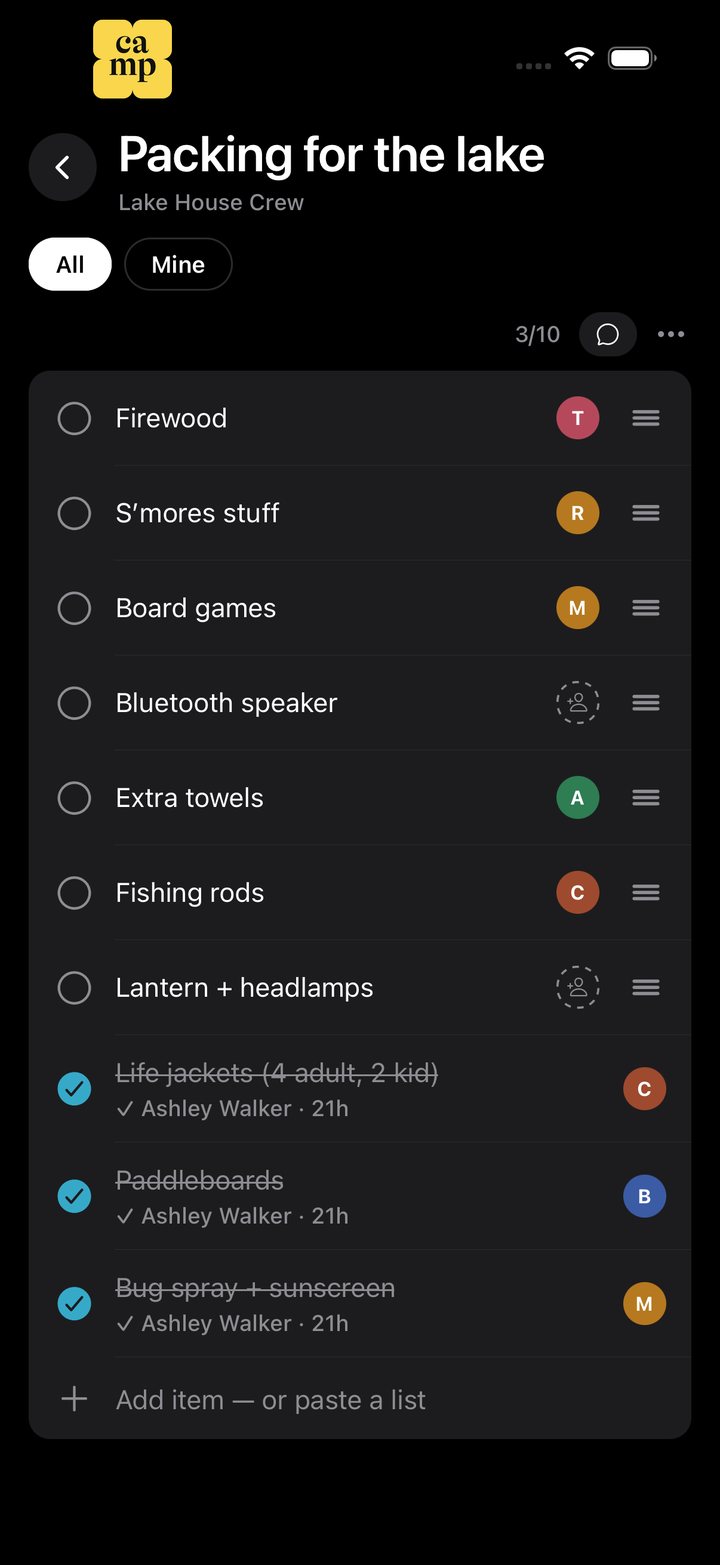
    Lake House Crew’s packing list in Camp: each item with the person taking it, three checked off

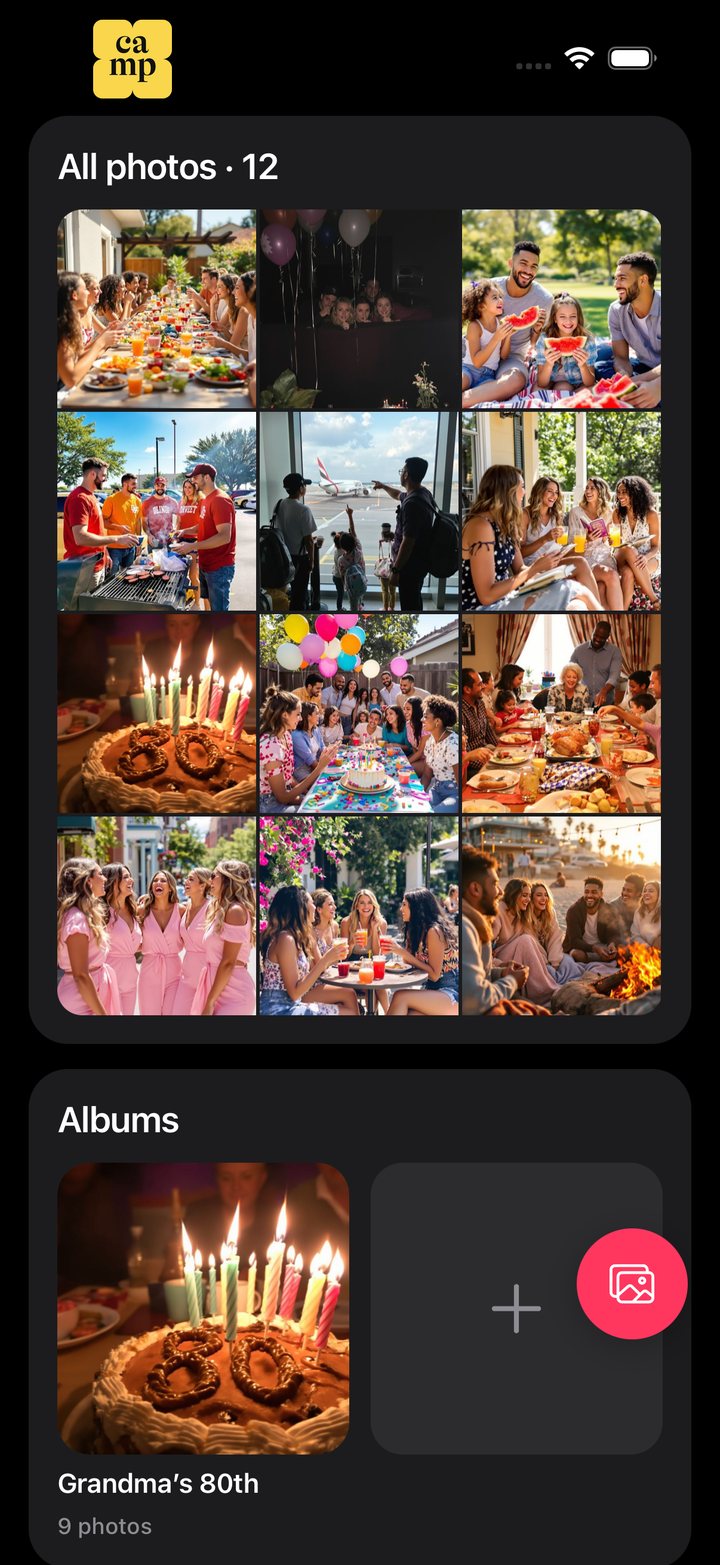
    Every photo from every plan, in one place.

    Photos shared in the chat and added to a plan collect in the group’s albums, so everything from Grandma’s 80th stays together.

    • All photos, newest first
    • An album for each plan, with everyone’s photos from that day
    • Add up to 30 photos at once
    The Johnsons’ albums in Camp: twelve photos in a grid, and an album for Grandma’s 80th

    Split the cabin, keep the friends.

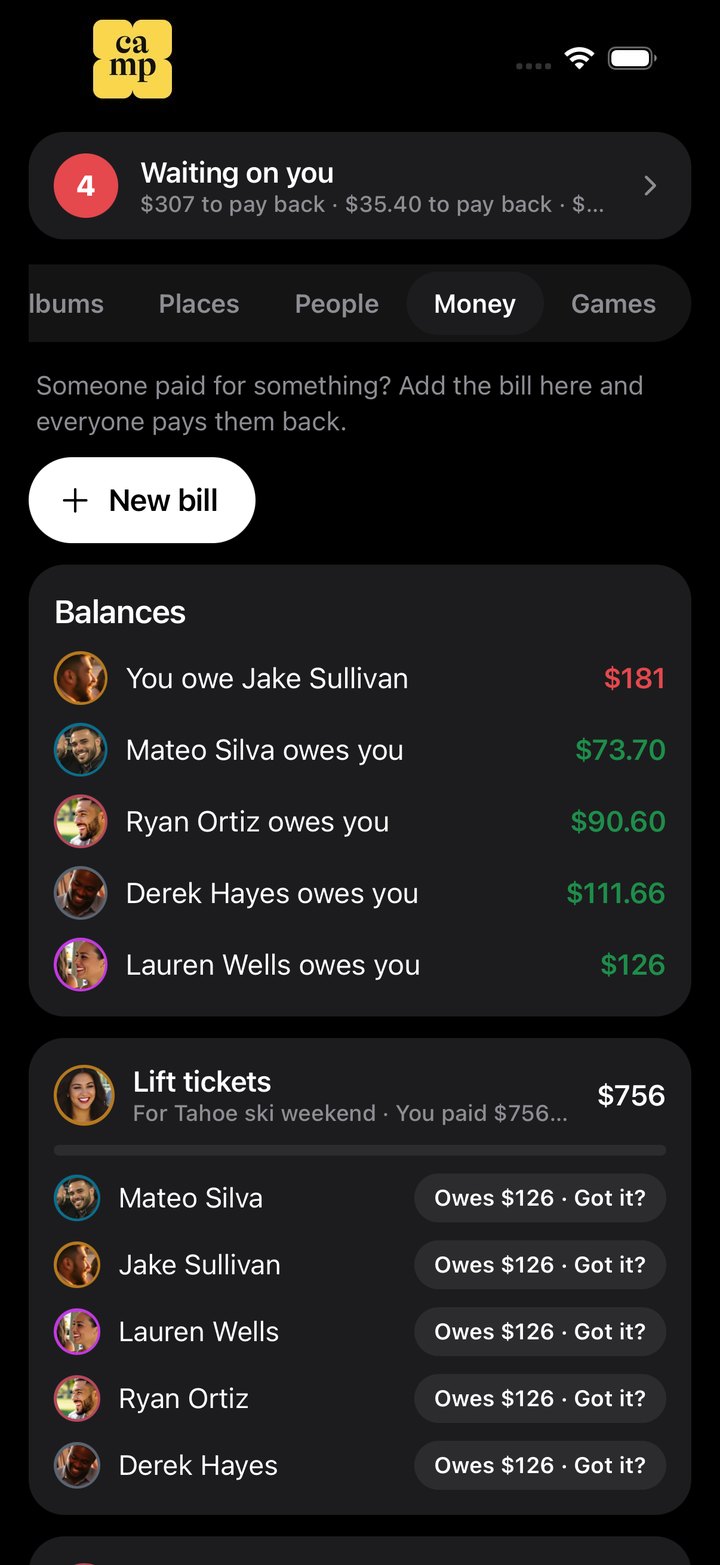
    Someone paid? Add it and Camp splits it, keeps a running balance of who owes whom, and makes paying back one tap.

    • Split evenly, or set what each person owes
    • Balances show who owes you and who you owe
    • Pay opens their Venmo or Cash App with the amount filled in
    • Mark a share paid when the money comes in
    Tahoe Ski Trip’s money in Camp: balances with each person, then the lift tickets split six ways

    Every spot on the plan, on one map.

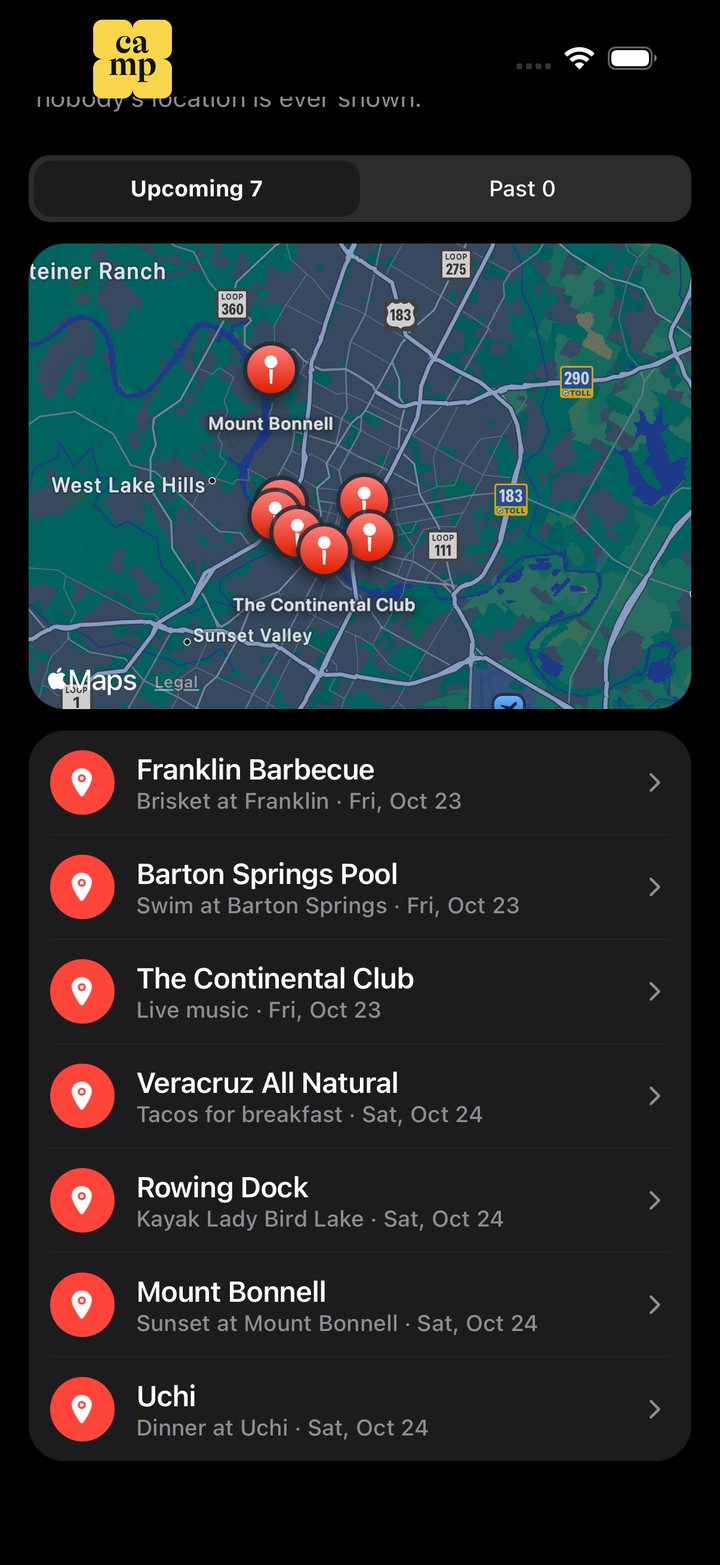
    Places gathers where the group’s plans happen: a pin for each, the plans there, and directions in Apple Maps.

    • Upcoming and past places
    • Tap a place for its plans and the way there
    • Only plans’ places: nobody’s location is ever shown
    Austin Weekend’s places in Camp: a map of Austin with seven pins, then Franklin Barbecue, Barton Springs Pool and the rest

    And the small things that make plans happen.

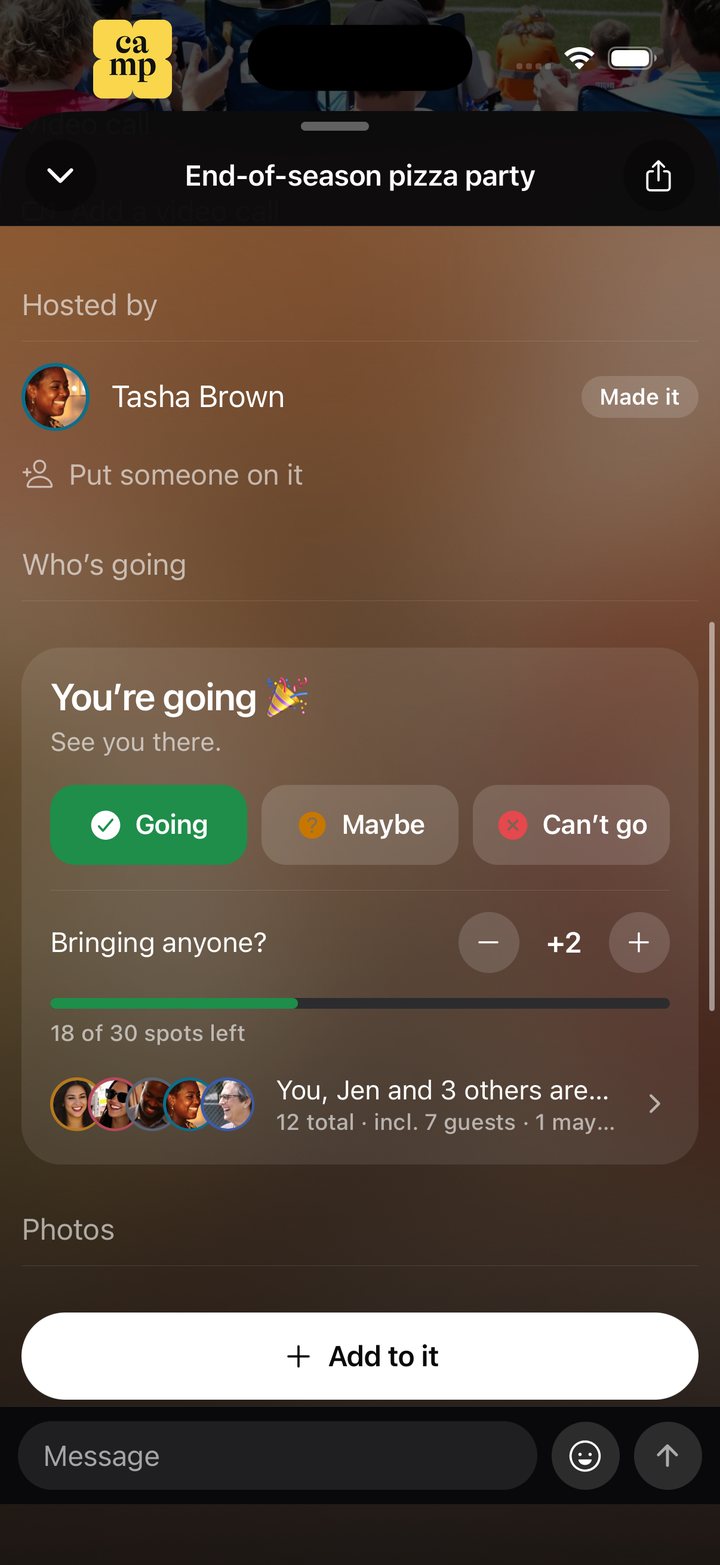
    The pizza party plan in Camp: You’re going, Going, Maybe, Can’t go, 18 of 30 spots left

    Who’s going

    Going, Maybe or Can’t go, with everyone’s faces. Bring guests, set a number of spots, and later answers wait in line.

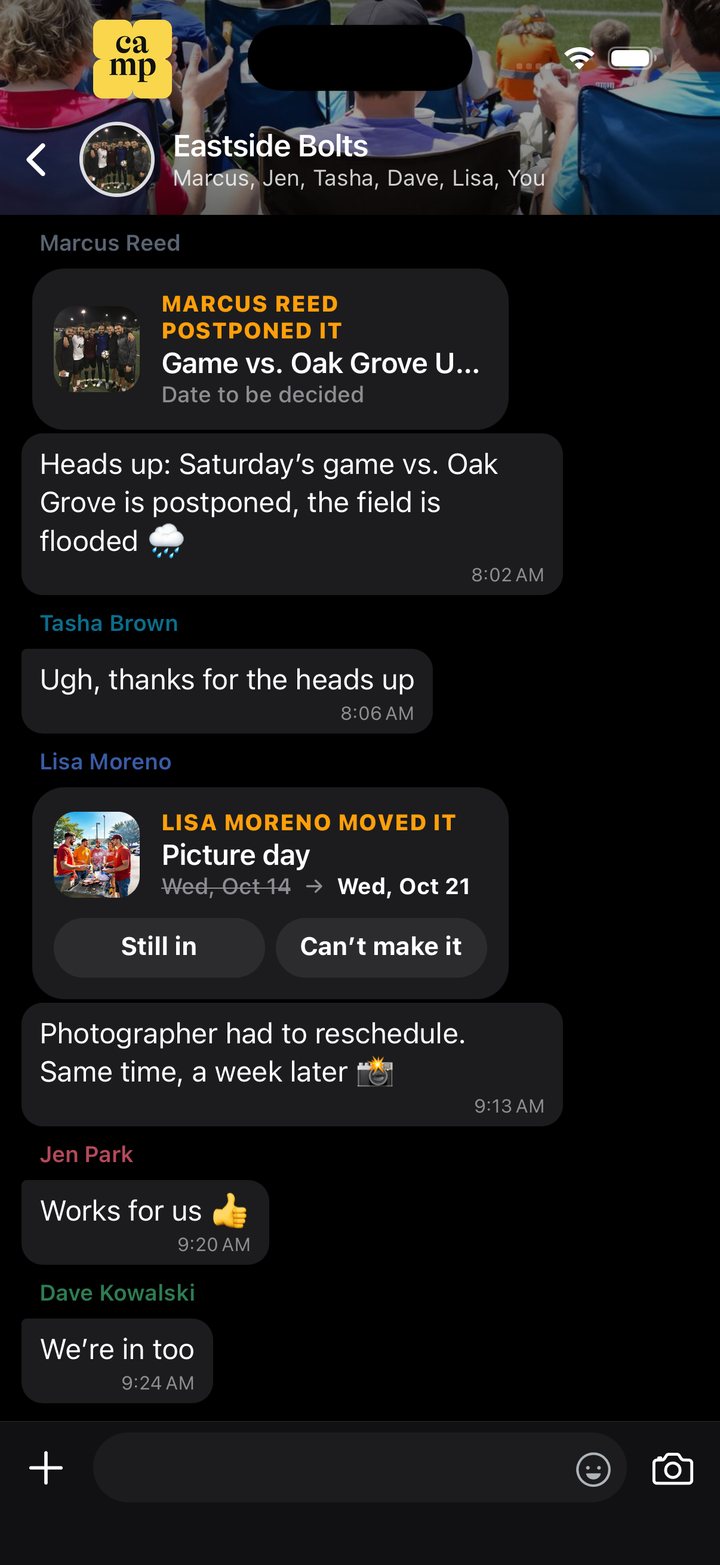
    Eastside Bolts’ chat in Camp: a postponed game, and picture day moved from Oct 14 to Oct 21

    Last-minute changes

    Move or postpone a plan and the chat says so, old date and new, and everyone answers Still in or Can’t make it.

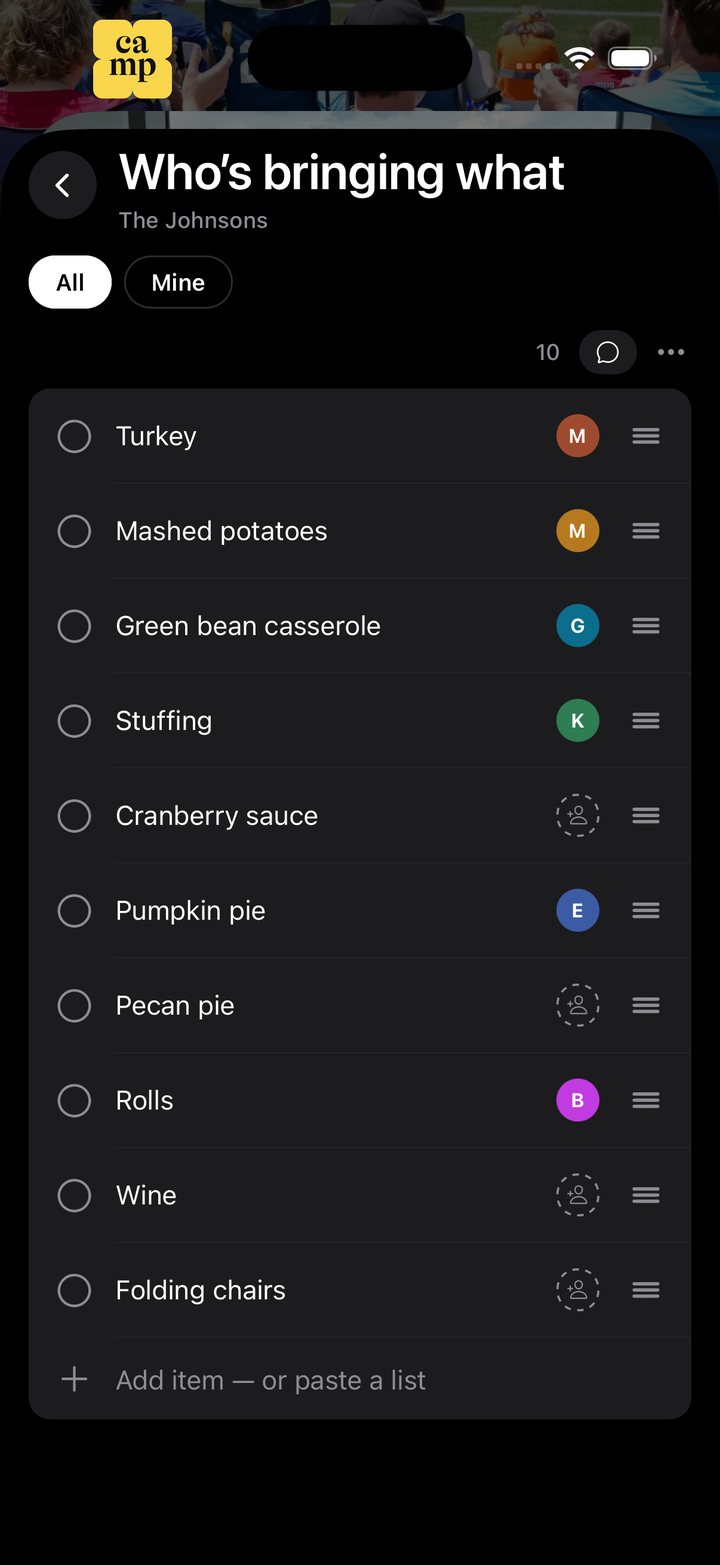
    The Johnsons’ Thanksgiving list in Camp: who’s bringing what, with empty slots still open

    Sign-up sheets

    Who’s bringing what: everyone takes an item with one tap, so nothing turns up twice.

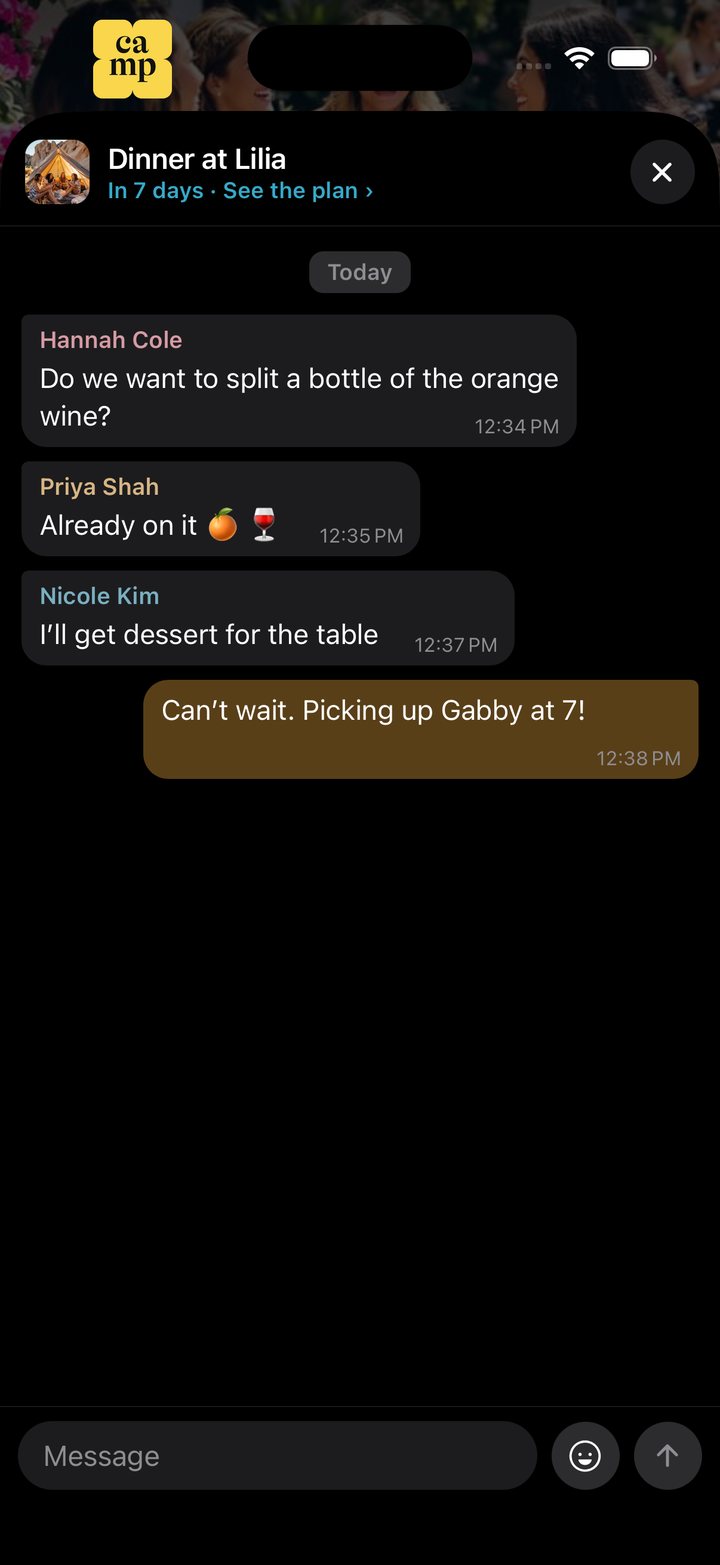
    The chat inside the Dinner at Lilia plan in Camp

    A chat for each plan

    Every plan has its own chat, so talk about Friday’s dinner stays with Friday’s dinner.

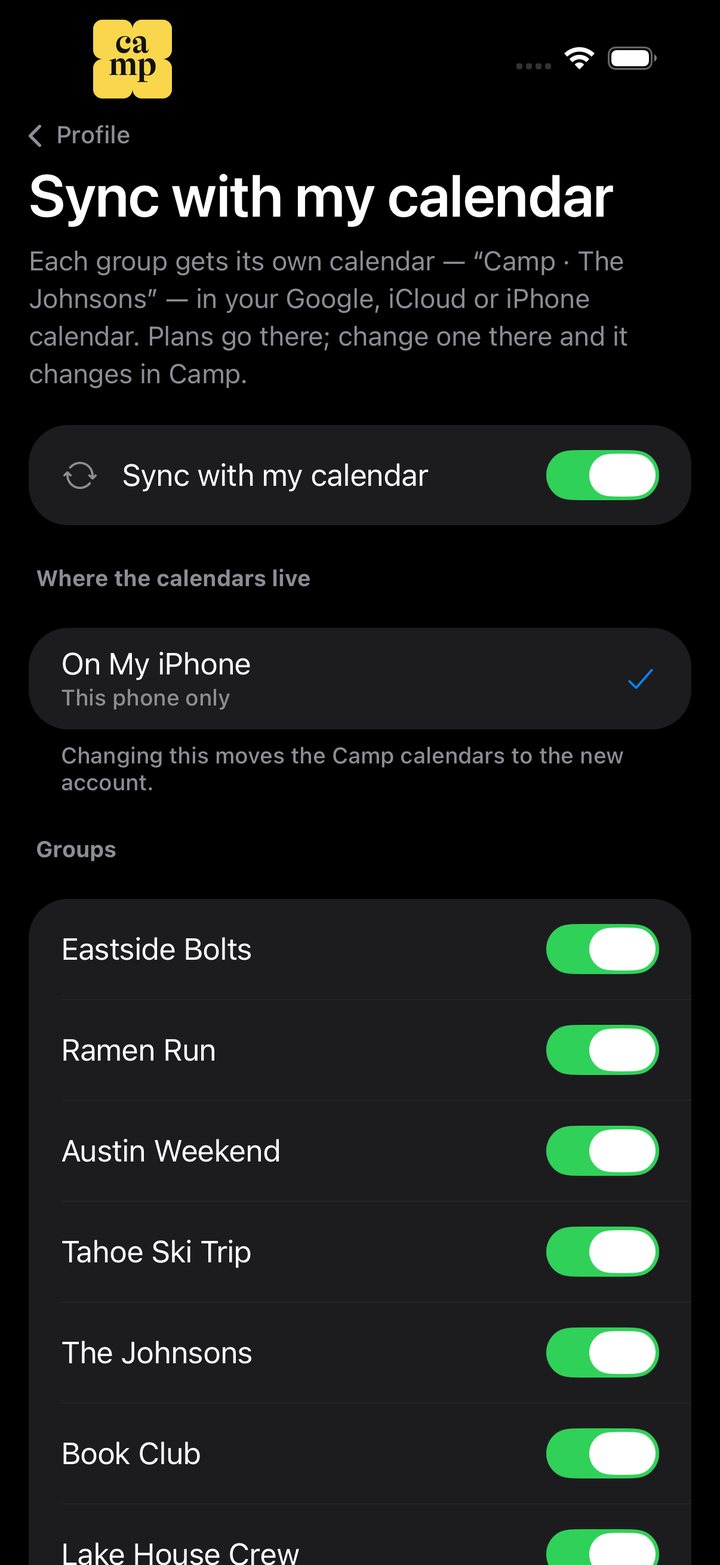
    Camp’s Sync with my calendar settings: on, On My iPhone, and a switch for each group

    Your own calendar, both ways

    Each group gets its own calendar in Google, iCloud or on your iPhone. Change a plan there and it changes in Camp.

    One group, one set of plans.

    No more scrolling back through a group chat to find the date, the address or who said they’d bring what.

    1. Start a group

      Name it after the people in it — the family, the roommates, the Japan trip. It gets its own calendar, lists and chat.

    2. Invite them with a link

      Send it over WhatsApp, Messages or anything else. They tap it and they’re in, with nothing to set up first.

    3. Plan it together

      Dates go on the calendar, everything else on lists. Anyone can add, tick things off and talk about them.

    Create beautiful plans for you and your group to share.

    Each plan is a card in the colors of its own photo, with the day, the place and the link, for everyone in the group to see.

    • Each card takes the colors of its own photo
    • Plans without a photo get a theme and a 3D sticker, or pick your own
    • Ideas with no date yet wait in Posts until you give them one
    • Every card opens the original link
    IN 11 DAYS

    Flights to Osaka

    Window seat, row 23. Fuji should be on the left about an hour in.

    Sat, Oct 17 ’26 · 9:40am

    ana.co.jp

    IN 3 DAYS

    Pizza night at Mom’s

    Bring the good olive oil. Dad’s doing the dough this time.

    Fri, Oct 9 ’26 · 7:00pm

    IN 16 DAYS

    Wet Leg at Brooklyn Steel

    Four tickets. Sal paid, settle up after.

    Thu, Oct 22 ’26 · 8:00pm

    bowerypresents.com

    Afuri, Ebisu

    Yuzu shio. Go before 11:30 or wait in line for an hour.

    afuri.com
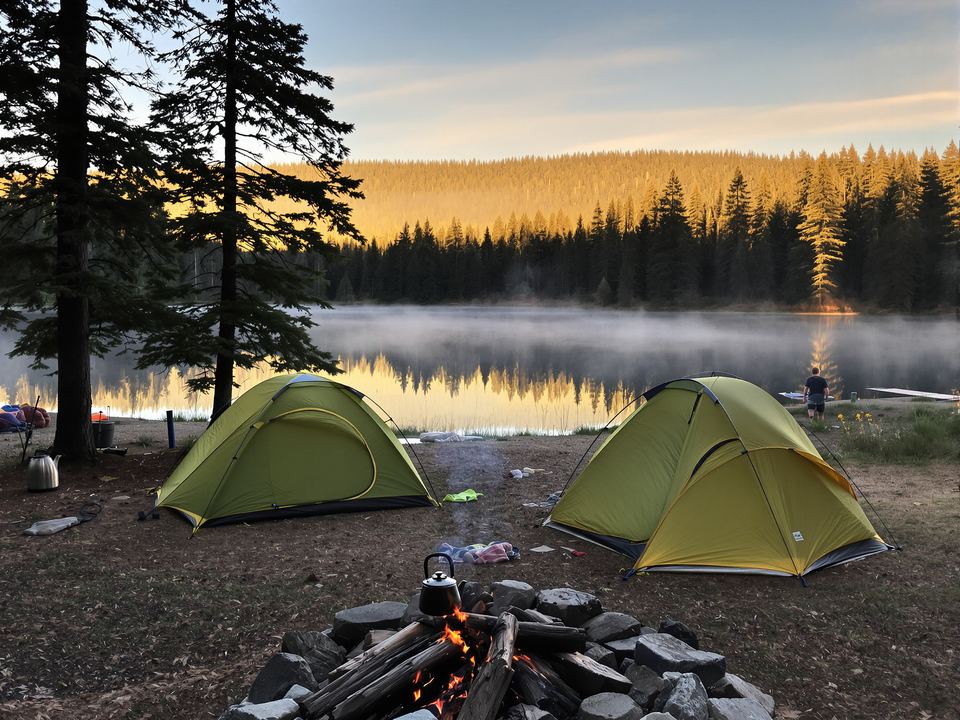
    IN 25 DAYS

    Lake Tahoe weekend

    Two tents, one stove. Who’s bringing the kettle?

    Sat, Oct 31 ’26
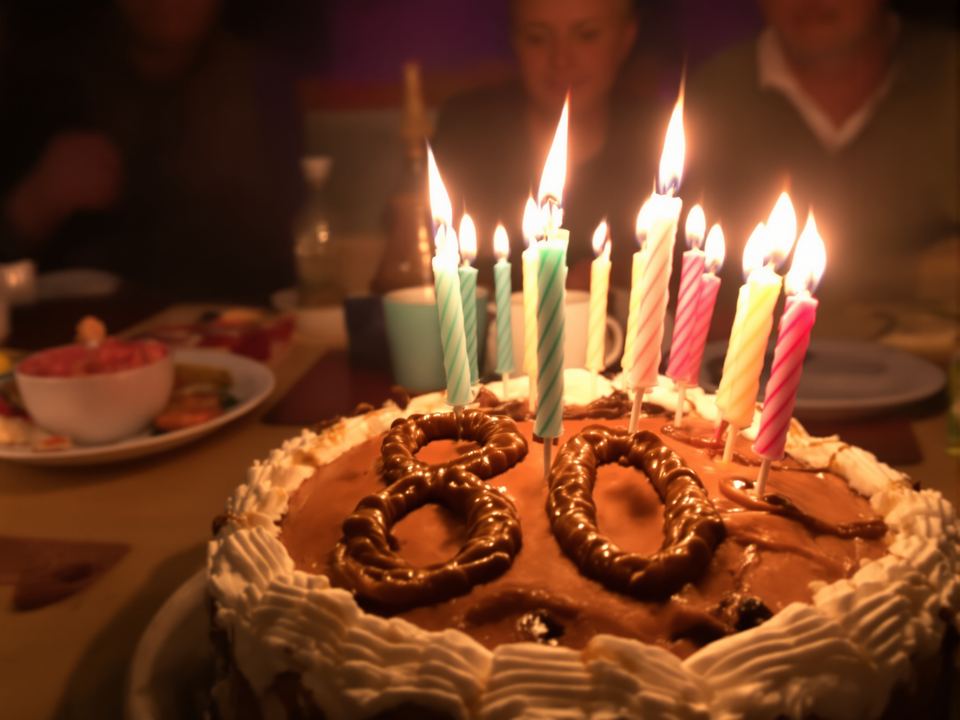
    IN 33 DAYS

    Grandma’s 80th

    Surprise. Don’t tell her. Cake from the bakery on Elm Street.

    Sun, Nov 8 ’26 · 4:00pm

    Questions.

    Is Camp free?

    Yes. Camp is free on iPhone. Extras like sticker packs and themes use coins you earn in the app.

    Do people need the app to join?

    Yes, Camp is an iPhone app. An invite link shows who invited you and the group, and opens it in Camp.

    Who can see my calendar?

    Nobody, unless you say so. Syncing puts each group’s plans in a calendar of its own on your phone, and your own events stay yours. If you turn on “Let my groups see when I’m busy”, they see only the times, never what, and holidays and birthdays are left out.

    Can I be in more than one group?

    As many as you like. Home shows them all together, and each one keeps its own calendar, chat, lists and photos.

    Can I share things in from other apps?

    Yes. Tap Share in Instagram, TikTok, Safari, Maps or any app with a Share button, then Camp. The photo, title and caption come with it.

    Who is Camp for?

    Adults, 18 and over. Parents use it to run their kids’ teams and classes; the kids don’t need accounts.

    Stop saving. Start going.

    Everything you find online, turned into plans for your groups.

    Join the waitlist